Use case
Within JWT, project properties can be used to add additional meta data to your project, that than be later referenced throughout JWT's features.
In the following use case we use a project property to define a user that is the only one who is allowed to execute specific transitions.
Why should I use a project property for this?
Why use a project property instead of defining the user to be checked against right in the condition/ validator itself?
By using a project property for defining the user to be checked against, the configuration can be reused in several transitions. If then the user changes, the username must only be adapted in one central spot instead of going through every transition and check the configuration.
Prerequisites
Set up the project property
In order to get the value of the project property later on in the condition or validator, the property has first to be created.
Head over to the project you want to create the project property in.
Head over to Project settings → Details
Add the following text to the project description:
{approver=<username>}
Replace <username> with the actual username you want to set as approver.
🛠️ Configuration
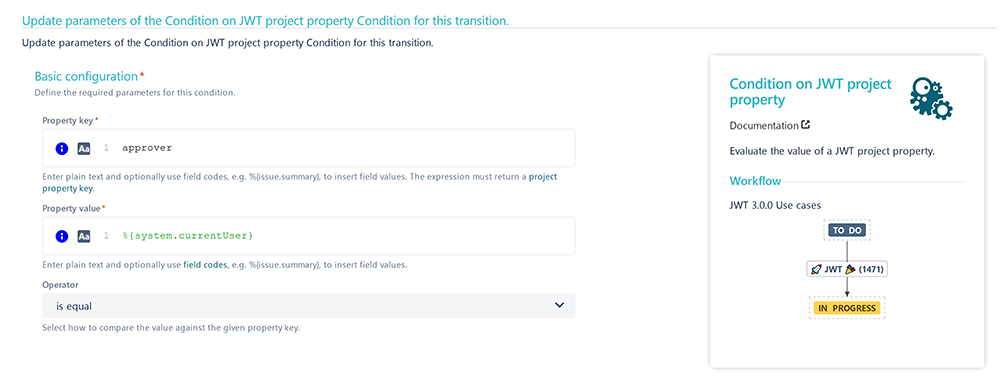
Add the Validation of JWT project property or Condition on JWT project property to the desired transition or create a new transition.
Property key
Enter the name of the project property:
approver
In this case we named the project property approver. If you use a different name, make sure to update the above expression accordingly.
Property value
Enter the following expression:
%{system.currentUser}
Operator
Choose is equal
This way the transition can only be executed by the approver. Any other user won't be able to do so.
The following parameters are only available, if you are configuring this use case as a validator.
📷 Screenshots