
Use case
The process of developing new features for a software can perfectly be mapped within Jira!
You have an idea, start implementing and then it finally needs to be tested.
In this example we are going to automatically assign the issue to a random tester so that this important step never gets lost again!
Prerequisites
Create a new project role
For this use case, you need the project role "Tester" set up within your project. If you don't already have a project role like this in Jira, you have to create one first.
You need to be a Jira administrator in order to create a new project role.
Within Jira, head over to Jira Administration → System.
Head over to Project roles.
Create a new project role like Tester.
🛠️ Configuration
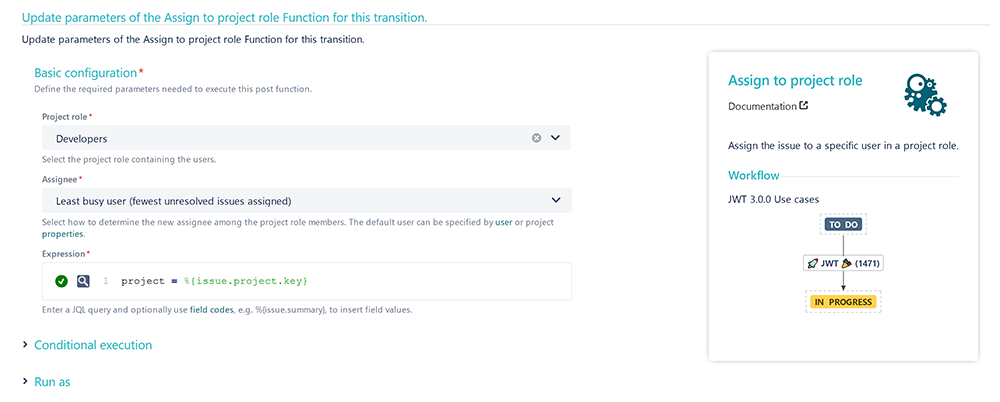
Add the Assign to project role to a workflow transition you like.
This transition could be called e.g. "Start Testing".
Project role
Choose the project role you've previously created.
Assignee
Select one of the options that fit most for you.
A good idea would be to choose " Least busy user (fewest unresolved issues assigned) ".
This way the work load will be split up between all testers in the project.
Expression
Enter the following parser expression:
project = %{issue.project.key}
This way, only in the current project will be searched for issues assigned to a user in the selected group.
📷 Screenshots
📚 Related use cases
| Use case | Workflow function |
|---|---|
| Automatically assign a tester during your development process |