Use case
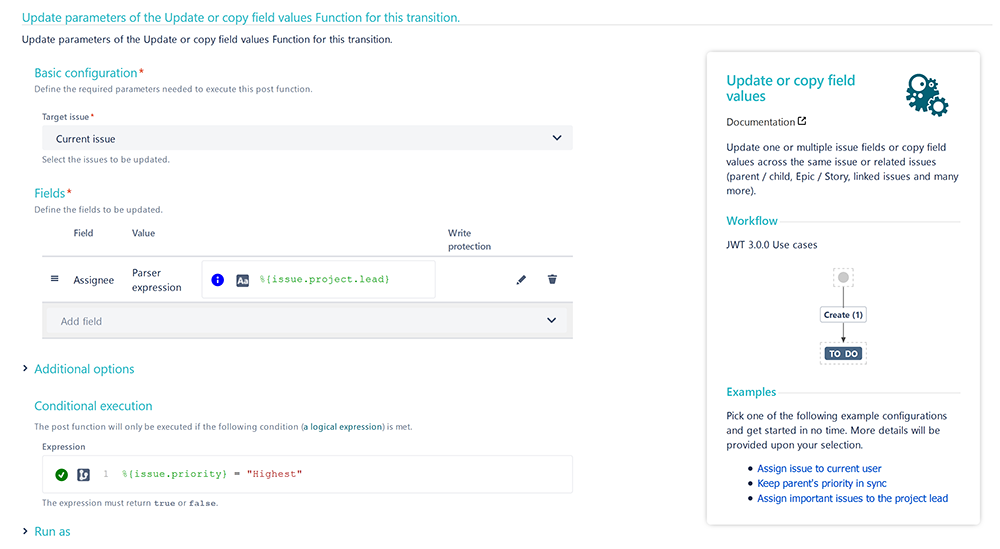
In the following use case the issue gets automatically assigned to the project lead, if the priority was set to Highest.
🛠️ Configuration
Add the Update or copy field values post function to the desired transition or create a new transition.
You might want to add the post function to the create transition of the workflow so that the post function gets executed every time a new issue is created.
Target issue
Choose Current issue
Fields
Choose Assignee
Value
In the popup, choose the value Set field value manually (parser expression)
Expression
Set it to Basic text and use the following expression
%{issue.project.lead}
Conditional execution
%{issue.priority} = "Highest"
By using this conditional execution, the assignee will only be updated, if the priority was set to Highest.
User
Choose Current user
📷 Screenshots