Use case
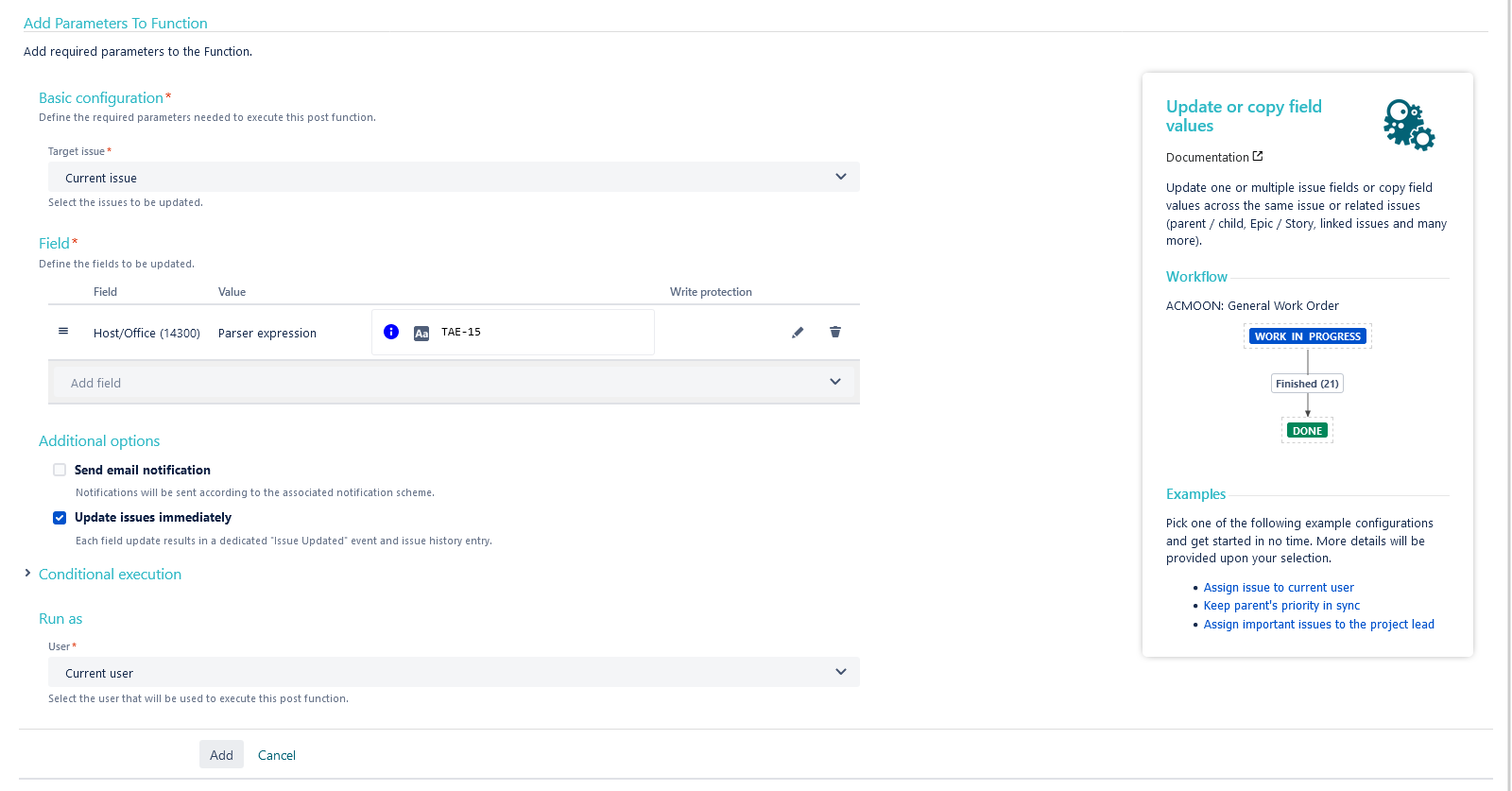
In the following use case, the issue gets automatically its insight field to display specific/desired insight objects.
🛠️ Configuration
Add the Update or copy field values post function to the desired transition or create a new transition.
You might want to add the post function to the create transition of the workflow so that the post function gets executed every time a new issue is created.
Target issue
Choose Current issue
Field
Choose your desired Insight field.
Value
In the popup, choose the value Set field value manually (parser expression)
Expression
Set it to Basic text and use the following expression
ObjectKey-1
User
Choose Current user
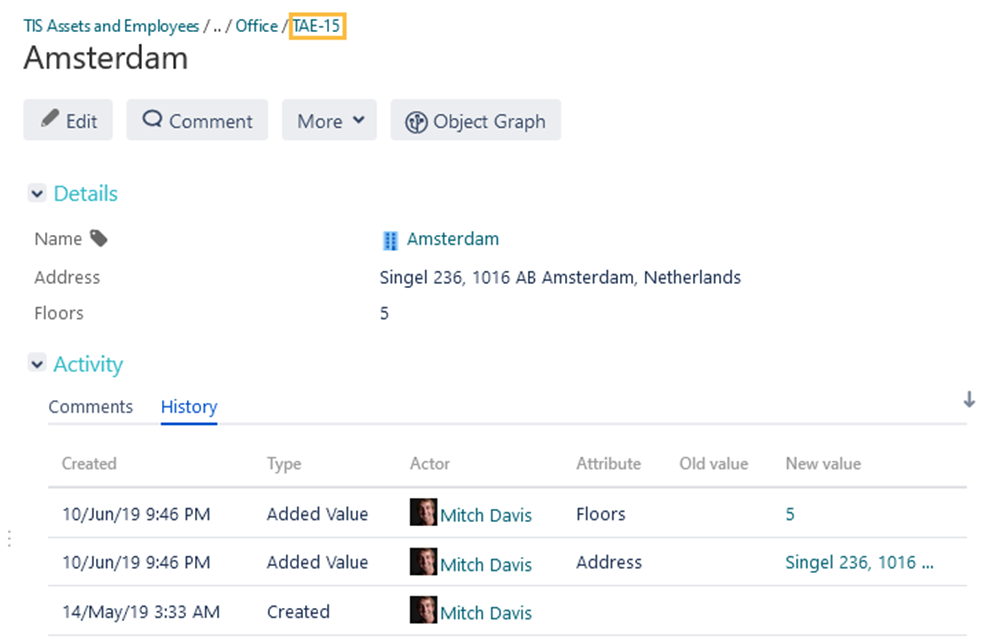
Where to find an object's key?
Want to display more than one value
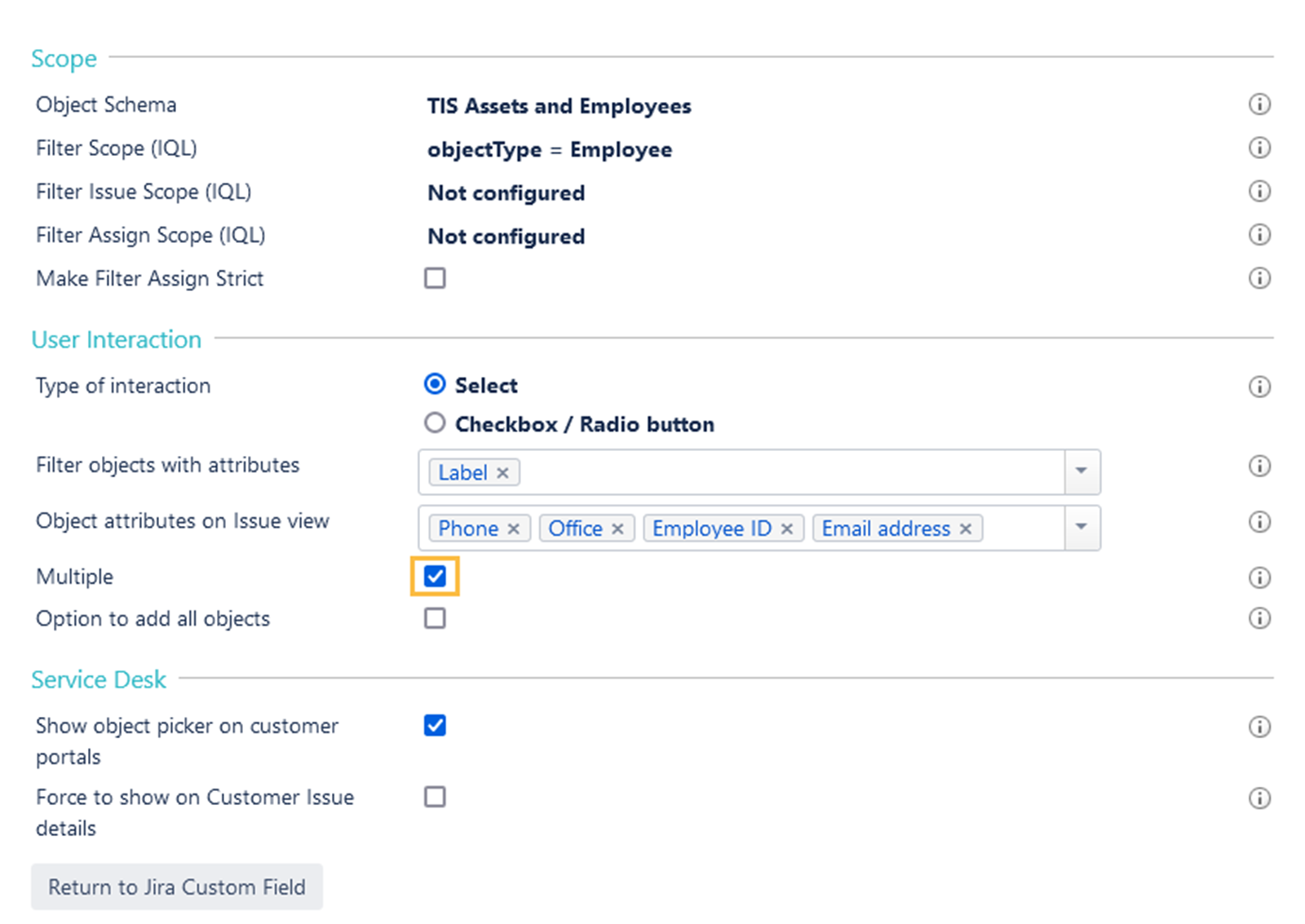
In order to display multiple objects, make sure that the Multiple option is checked in your Insight custom field configuration as you can see below:
Expression
Your expression would be then like the following if you want to display 3 objects:
ObjectKey-1,ObjectKey-2,ObjectKey-3
📷 Screenshots