Use case
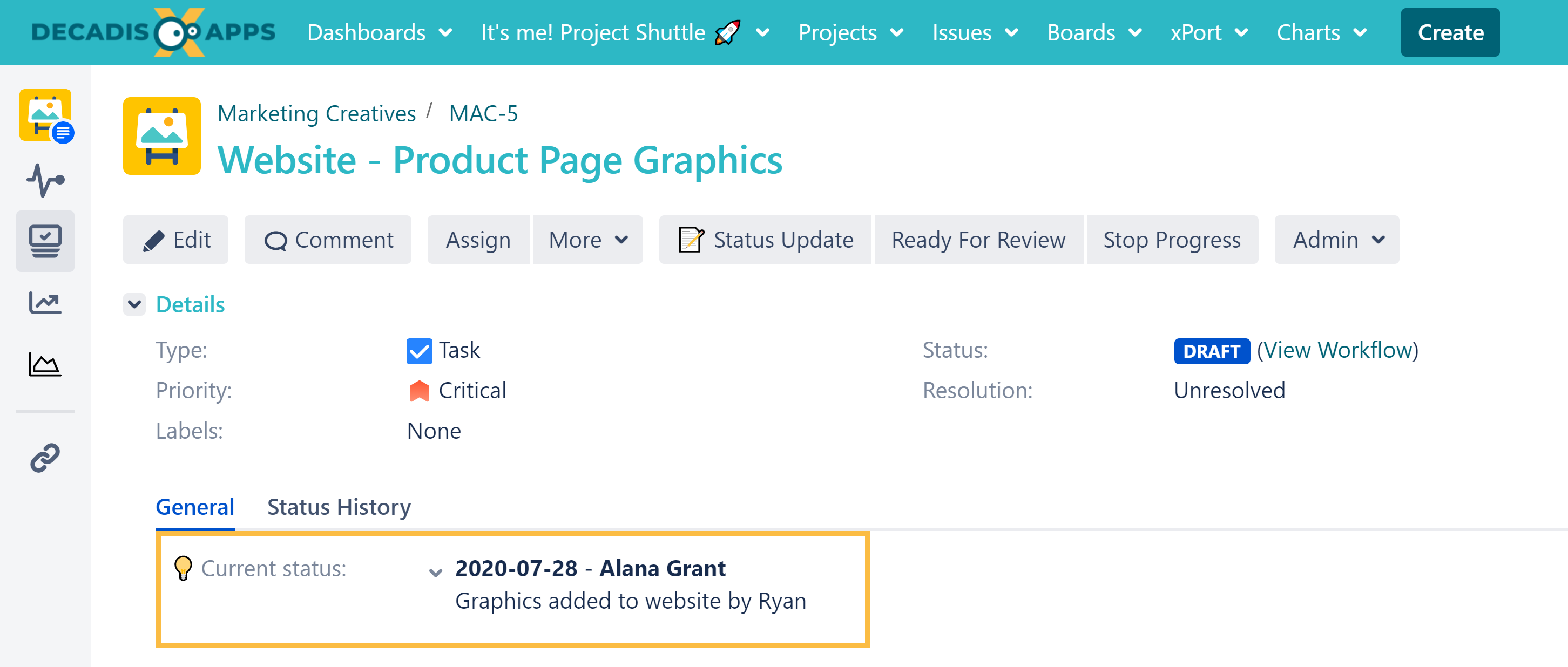
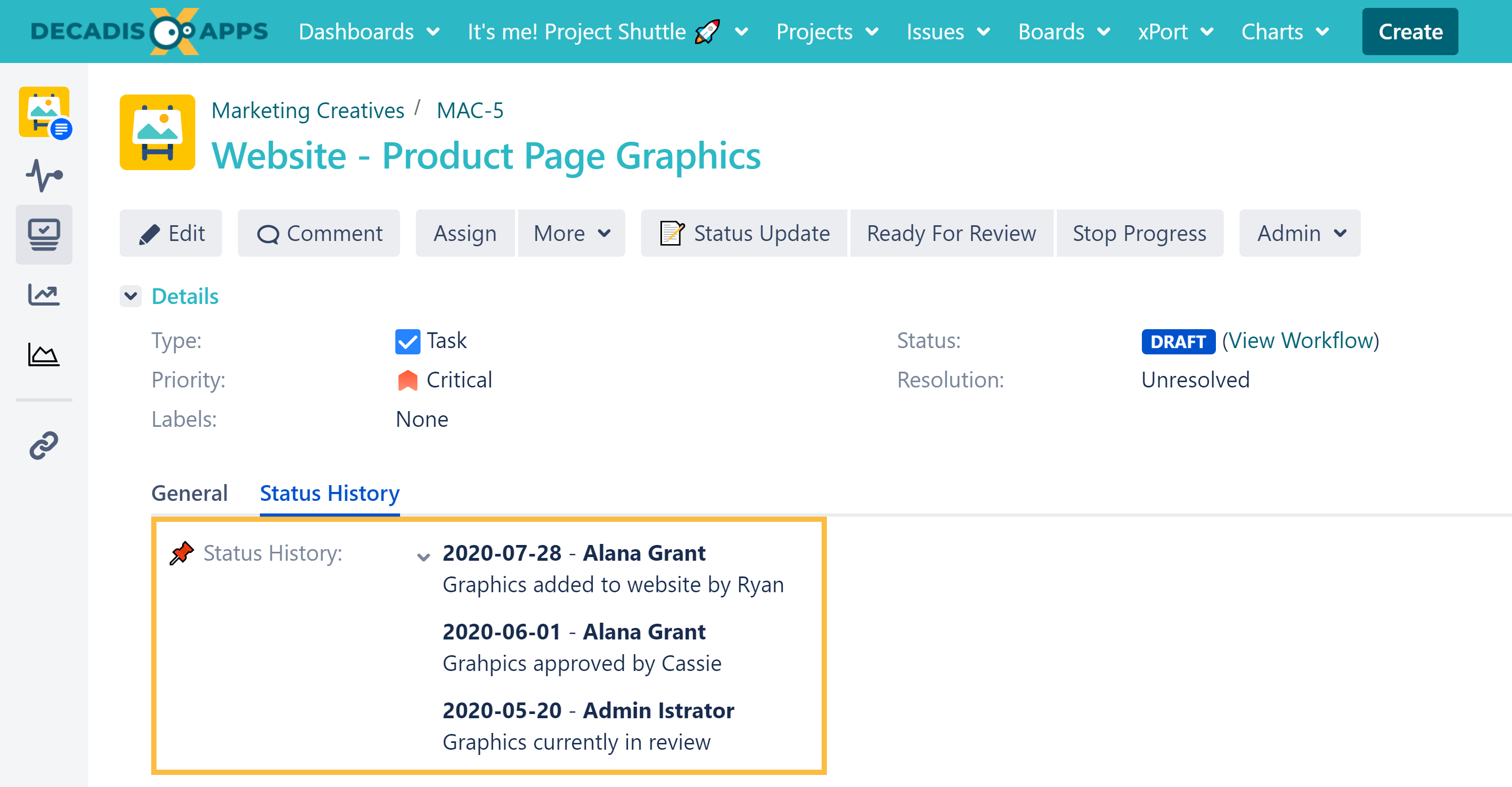
Status updates are key to successfully managing projects. Usually you need to capture additional information which often gets lost in the comment history.
This use case combines multiple custom text fields and populates the automatically using post functions.
Prerequisites
Create three custom fields
-
Create a custom field of type: Text Field (multi-line)
Name: Status Update -
Create a second custom field of type: Text Field (multi-line)
Name: Current status -
Create a third custom field of type: Text Field (multi-line)
Name: Status History -
Navigate to the Field configuration and set the renderer of the 3 custom fields to "Wiki Style Renderer".
Create a transition screen
-
Create a new screen
Name: Status Update Screen -
Add the field Status Update to the newly created screen.
Set up a workflow transition
Create a new transition with the following parameters:
From Status: Any
To Status: Itself
Name: Status update
Screen: Status Update Screen
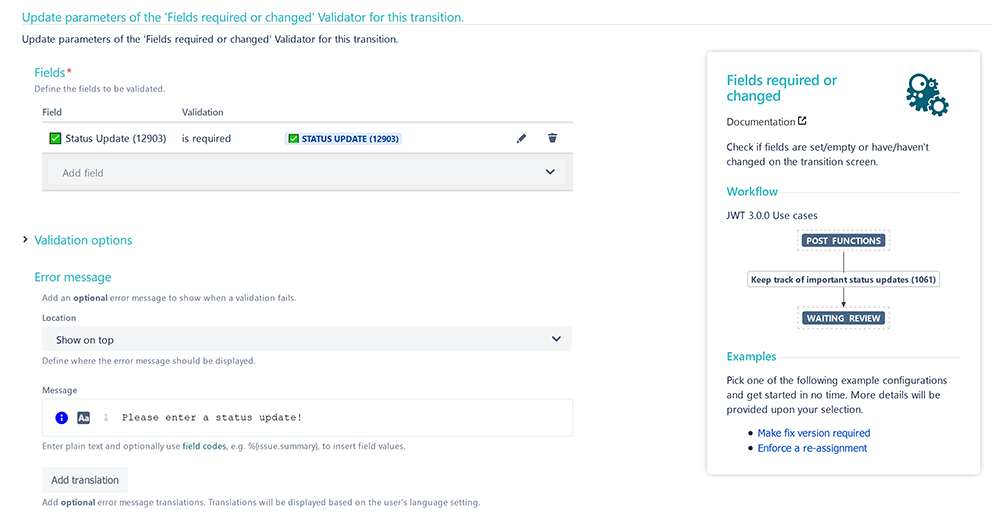
Add a Fields required or changed validator to the newly created transition.
Field
Status Update
Condition
Is required
Message to show when validation fails
Please enter a status update!
Once set up, the validator should look something like this:
🛠️ Configuration
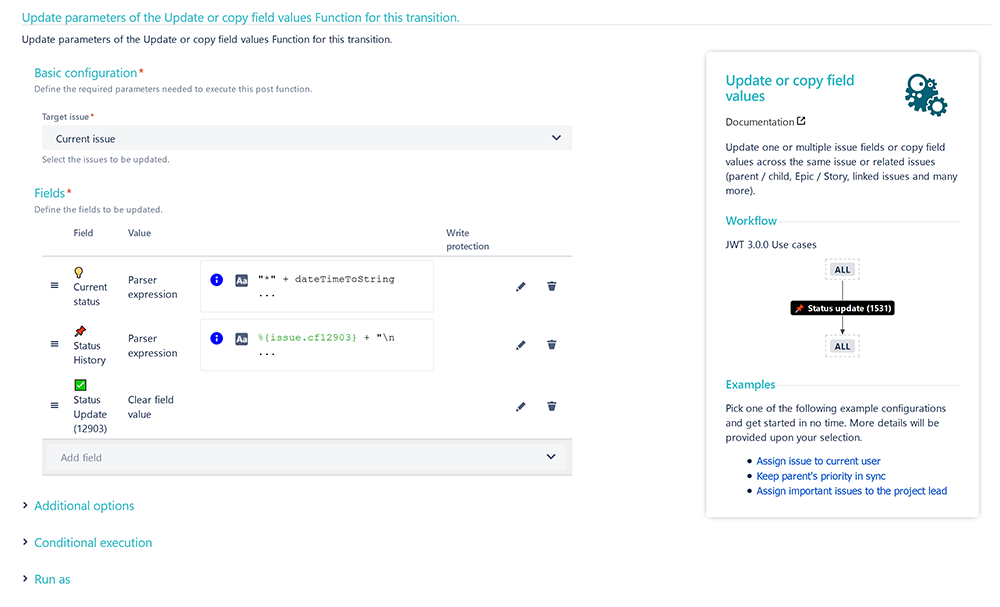
Add an Update or copy field values post function to the workflow transition created in the prerequisites section.
Target issue
Choose Current issue
Configure the field: Current Status
Field
Choose Current Status
Expression
Set the parsing mode to Advanced text and use the following expression
"*" + dateTimeToString({system.currentDateTime}, "yyyy-MM-dd", USER_LANG) + "* - *" + %{system.currentUserFullName} + "*\n" + %{issue.cfnnnnn}
%{issue.cfnnnnn} is the field code for the field Status Update
Configure the field: Status History
Field
Choose Status History
Expression
Set the parsing mode to Advanced text and use the following expression
%{issue.cfaaaaa} + "\n\n" + %{issue.cfbbbbb}
%{issue.cfaaaaa} is the field code for the field Current Status
%{issue.cfbbbbb}is the field code for the field Status History
Configure the field: Status Update
Field
Choose Status Update
Value
Choose Clear field value
The field value must be cleared, so users will be presented with an empty text field the next time they leave a status update.
User
Choose Current user
📷 Screenshots