Use case
A good way to communicate with customers are Service Management projects. Both you and the customer can keep track of the latest changes.
But not all information should always be shared with the customer. At this point you can easily use the Add comment post function to automatically create internal comments that are not visible for the customer.
🛠️ Configuration
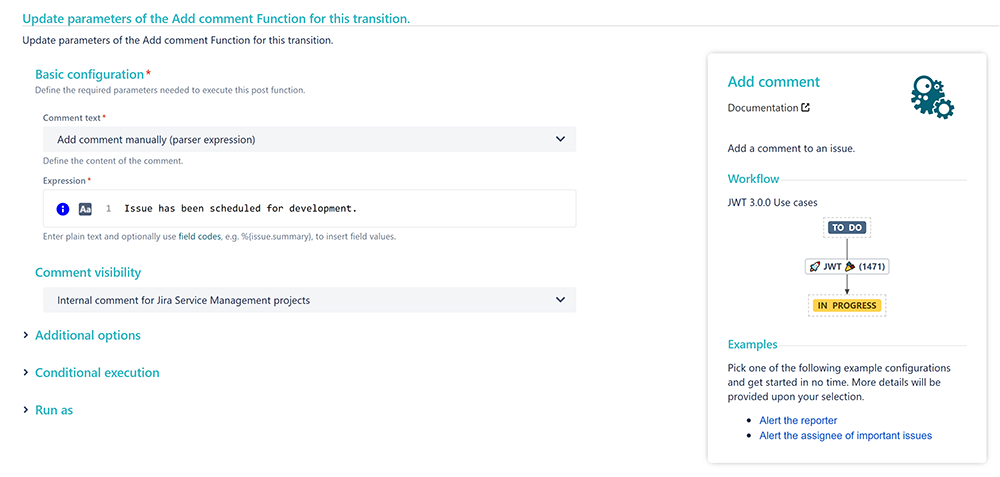
Add the Add comment post function to the workflow transition you want to place it in.
Comment text
Choose Add comment manually
Expression
Enter your custom comment, like:
Issue has been scheduled for development.
Comment visibility
Choose Internal comment for Jira Service Management projects
📷 Screenshots