
Use case
In Jira it is key feature that always the right people have the right information. To keep track of things, you can watch certain issues to not miss any updates.
In this use case we will use the Add or remove watchers post function to automatically add watchers to issues based on the issue type.
Prerequisites
The first thing we have to do is to do define which user should be added as watcher for which issue type.
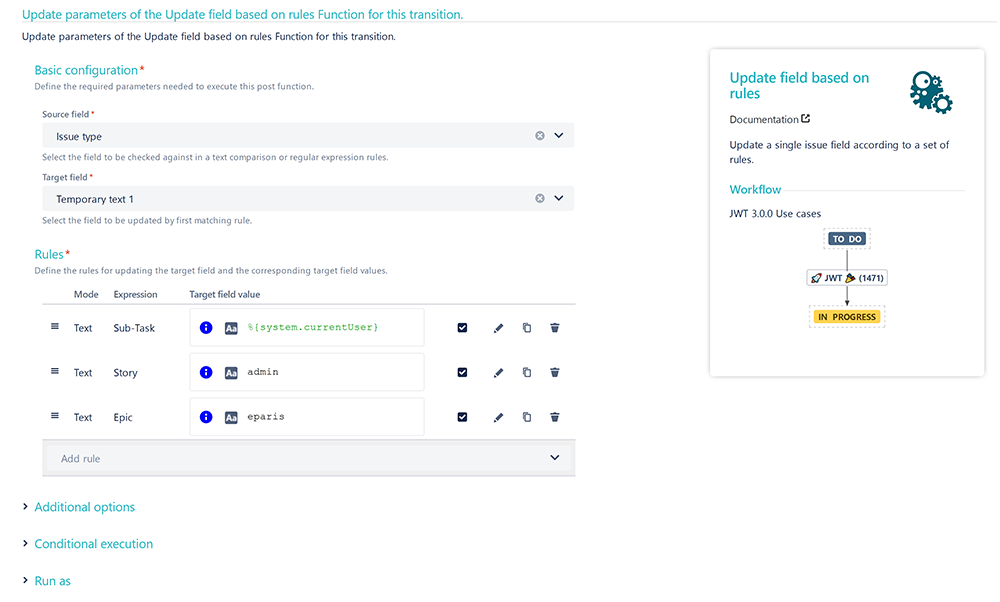
Therefor we use the Update field based on rules post function:
Add the Update field based on rules post function to the desired workflow transition.
Source field
Choose Issue type
Target field
Choose Temporary text 1
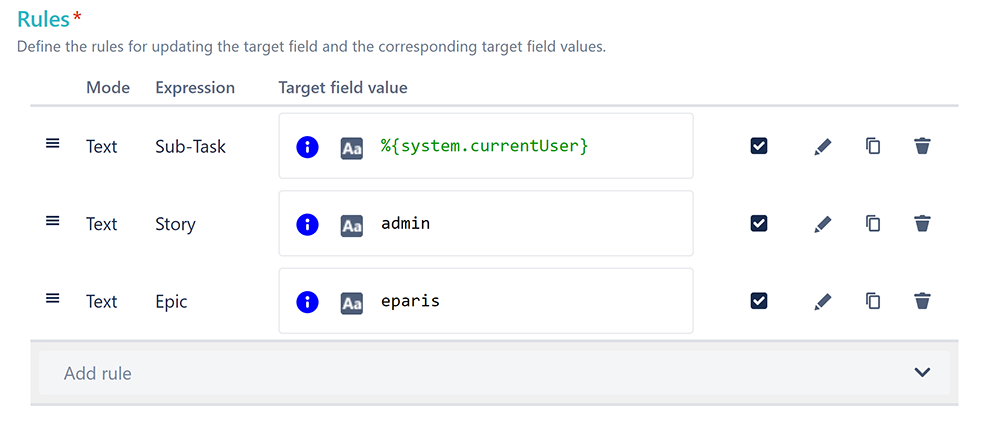
Rules
Click on Add rule
Choose Text comparison
Keyword
Enter
<issuetype>
Replace <issuetype> with the actual issue type you want to check against.
Value
Enter
<username>
Replace <username> with the actual username you want to add as watcher, if the above entered issue type is selected.
Repeat the steps above for each issue type you want to check against.
The final configuration could then look something like this:
🛠️ Configuration
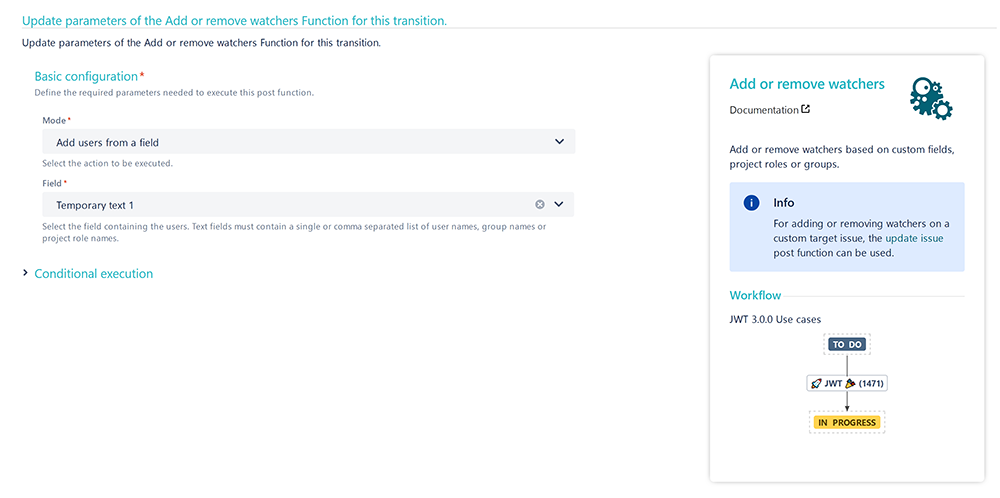
Add the Add or remove watchers post function right underneath the post function we've previously created.
Mode
Choose Add users from a field
Field
Choose Temporary text 1
📷 Screenshots
📚 Related use cases
| Use case | Workflow function |
|---|---|
| Add watchers based on issue type | |
| Set a watcher based on custom field value |