
Return the sum of the worklogs of all work items that share the same fix version and project.
Use this field to track all efforts for a specific release. Because releases or fix versions may share names, this example limits work items to those within the same project as the viewed work item.
Configuration
Select Custom number formula in the template gallery after clicking Create formula field.
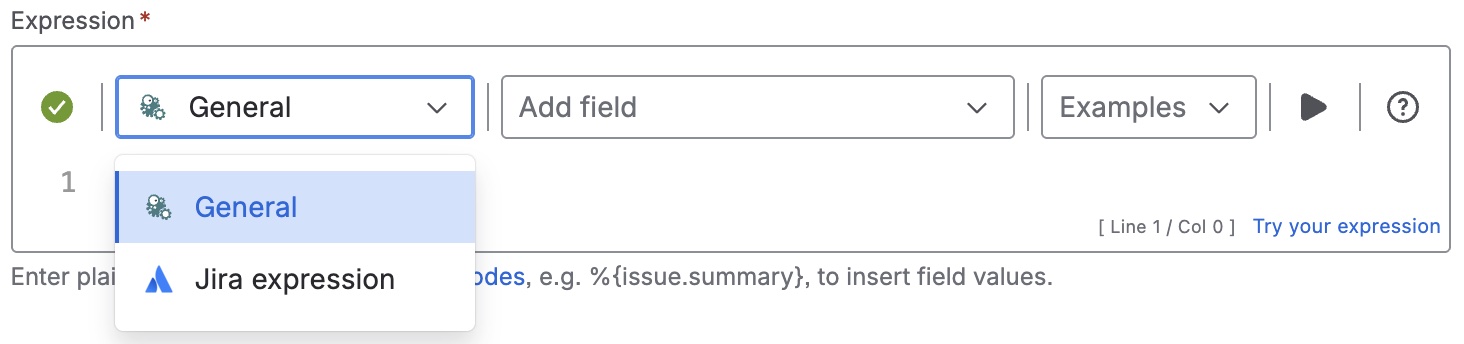
Choose General in the parsing mode dropdown. Click here for additional information.
Expression
%{%{issue.fixVersions} != null ?
sum(append(fieldValue({issue.timeSpent},
issuesFromJQL("fixVersion = '"+%{issue.fixVersions.id}+"'")),[0]))/60)
: null}
If the resulting number from the expression contains too many decimal numbers, feel free to select one of the available display formats or to configure it manually.
Display as
Number
Formatting style
Custom format: ###.##h
Used parser functions
The links lead to the JWTC documentation because the parser functions are shared functionalities.
Details
1. What does the expression do?
This expression calculates the total time spent (in hours) on all work items within the same project that share the same fix version as the current work item. It sums up the logged work time for all these related work items, making it easy to track the total effort for a specific release or version.
2. Step-by-step breakdown
Let’s break it down:
-
%{ ... }: This denotes an advanced parser expression. -
%{issue.fixVersions} != null ? ... : null: Checks if the current work item has a fix version set. If not, the result is "None" (null). -
issuesFromJQL("fixVersion = '"+%{issue.fixVersions.id}+"'"): Finds all work items in the same project that have the same fix version as the current work item. -
fieldValue({issue.timeSpent}, ...): For each of those work items, retrieves the value of the "time spent" field (the total logged work time, in minutes). -
append(..., [0]): Adds a zero to the list, ensuring the sum function always has at least one value to process (avoiding errors if no work items are found). -
sum(...): Adds up all the time spent values. -
/60: Converts the total from minutes to hours.
3. Examples
-
Suppose you have three work items in the same project, all with fix version "1.0":
-
Work item A: 120 minutes logged
-
Work item B: 60 minutes logged
-
Work item C: 90 minutes logged
-
If the current work item does not have a fix version, the result will be "None"
4. Real-life use cases
-
Release tracking: Project managers can instantly see the total time spent on all work items for a specific release or fix version.
-
Effort reporting: Useful for generating reports on how much work went into a particular version of your product.
-
Resource allocation: Helps teams understand which releases required the most effort, aiding in future planning and estimation.