
Displays the sum of numeric field values in the completed items under the same parent as the current work item.
For a work item to be completed, it needs to be in a status with the status category Done.
Configuration
Select Custom number formula in the template gallery after clicking Create formula field.
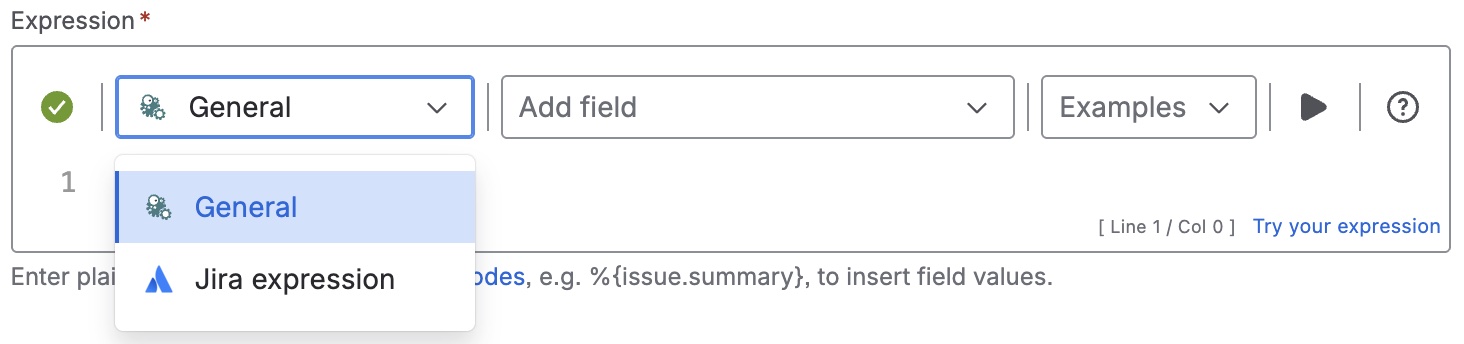
Choose General in the parsing mode dropdown. Click here for additional information.
Expression
Expression
General expression:
%{sum(fieldValue({issue.cfnnnnn},issuesFromJQL("statusCategory = Done AND 'parent' = "+%{parent.key})))}
Replace "nnnnn" with the ID of the story points field. Keep in mind, that this smart fields should be displayed on a child work item.
Display as
Number
Formatting style
Default (unformatted)
Used parser functions
The links lead to the JWTC documentation because the parser functions are shared functionalities.
Details
1. What does the expression do?
This expression calculates the total of a numeric field (such as story points) for all completed sibling work items—meaning, all work items under the same parent as the current one, but only those that are marked as completed (in the status category “Done”).
2. Step-by-step breakdown
Let’s break it down:
-
{issue.cfnnnnn}: This refers to the custom field. You need to replace “nnnnn” with the actual ID of your numeric field. -
issuesFromJQL("statusCategory = Done AND 'parent' = "+%{parent.key}): This parser function finds all work items that:-
Are in a status category of “Done” (i.e., completed)
-
Have the same parent as the current work item
-
-
fieldValue(...): For each of the found sibling work items, this function retrieves the value of the specified field (e.g., story points). -
sum(...): Adds up all the field values retrieved from the completed sibling work items.
3. Examples
Suppose you have a parent work item with three child work items (siblings):
-
Child A: 5 story points, status = Done
-
Child B: 3 story points, status = Done
-
Child C: 2 story points, status = In Progress
If you use this expression on any of these child work items, it will:
-
Find all siblings with the same parent that are “Done” (Child A and B)
-
Add their story points: 5 + 3 = 8
4. Real-life use cases
-
You want to display, on each child work item, the total story points completed by all siblings under the same parent. This is useful for tracking progress within a larger feature or epic.
-
Project managers can quickly see how much work has been completed in a group of related tasks, without including tasks that are still in progress.
-
Teams can use this to measure velocity or completion rates for sub-tasks or stories grouped under a common parent.