
Return the number of days elapsed since the creation of the work item until its resolution skipping weekends.
Configuration
Select Custom number formula in the template gallery after clicking Create formula field.
Choose Jira expression in the parsing mode dropdown. Click here for additional information.
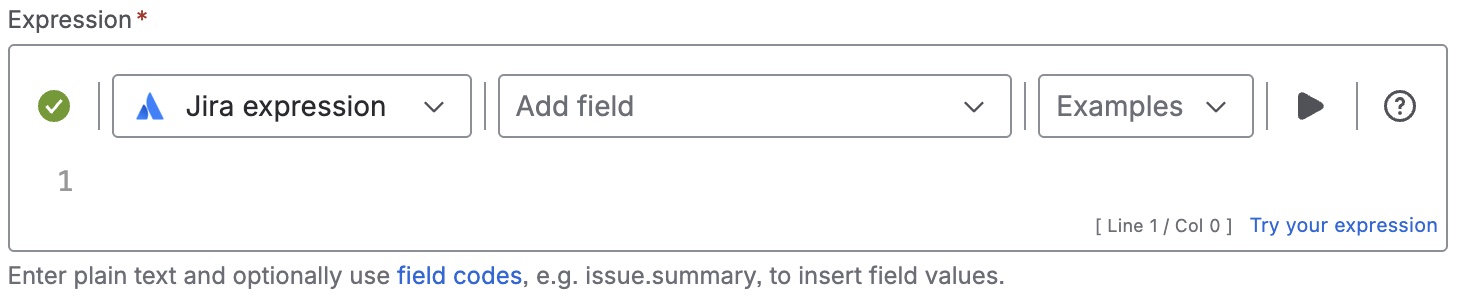
Expression
startDate = issue?.created;
endDate = issue?.resolutionDate != null ? issue?.resolutionDate : null;

startDateWeekday = startDate.getDay() == 0 ? 7 : startDate.getDay();
endDateWeekday = endDate.getDay() == 0 ? 7 : endDate.getDay();

isValidDate = startDate != null && endDate != null && endDate.getTime()
>= startDate.getTime();

milliseconds = 86400000;
naturalDays = isValidDate ? (((endDate.getTime() - startDate.getTime()) -
((endDate.getTime() - startDate.getTime()) % milliseconds)) / milliseconds)
: null;

remain = isValidDate ? (naturalDays % 7) : 0;

if (!isValidDate){
return null
} else if(startDateWeekday == endDateWeekday){
return (naturalDays - ((naturalDays - remain )/ 7 * 2));
} else if(startDateWeekday == 7 || (startDateWeekday == 6
&& endDateWeekday == 7)){
return (naturalDays - ((naturalDays - remain) / 7 * 2)) -1;
} else if(startDateWeekday == 6){
return (naturalDays - ((naturalDays - remain) / 7 * 2)) - 2;
} else if(endDateWeekday == 7){
return (naturalDays - ((naturalDays - remain) / 7 * 2)) - 1;
}  else if(startDateWeekday > endDateWeekday) {
return (naturalDays - ((naturalDays - remain) / 7 * 2)) - 2;
} else{
return (naturalDays - ((naturalDays - remain) / 7 * 2));
}
Display as
Number
Formatting style
Default (unformatted)
Details
1. What does the expression do?
This expression calculates the number of days between when a work item was created and when it was resolved, but it skips weekends (Saturday and Sunday).
2. Step-by-step breakdown
Let’s break down the expression step by step:
-
Get the start and end dates:
-
startDate = issue?.created;-
Gets the creation date of the work item.
-
-
endDate = issue?.resolutionDate != null ? issue?.resolutionDate : null;-
Gets the resolution date, or sets it to null if not resolved.
-
-
-
Determine the day of the week for each date:
-
startDateWeekday = startDate.getDay() == 0 ? 7 : startDate.getDay(); -
endDateWeekday = endDate.getDay() == 0 ? 7 : endDate.getDay();-
Converts Sunday (which is 0 in JavaScript) to 7, so days go from 1 (Monday) to 7 (Sunday).
-
-
-
Check if the dates are valid:
-
isValidDate = startDate != null && endDate != null && endDate.getTime() >= startDate.getTime();-
Makes sure both dates exist and the end date is not before the start date.
-
-
-
Calculate the total number of days:
-
milliseconds = 86400000;-
Number of milliseconds in a day.
-
-
naturalDays = isValidDate ? (((endDate.getTime() - startDate.getTime()) - ((endDate.getTime() - startDate.getTime()) % milliseconds)) / milliseconds) : null;-
Calculates the total number of days between the two dates.
-
-
-
Calculate the remaining days after full weeks:
-
remain = isValidDate ? (naturalDays % 7) : 0;-
Finds out how many days are left after counting full weeks.
-
-
-
Return null if dates are invalid:
-
if (!isValidDate){ return null }-
If the dates are not valid, the result is empty.
-
-
-
Calculate working days, adjusting for weekends:
-
The rest of the expression uses several
ifandelsestatements to adjust the total days, subtracting weekends based on the start and end days of the week. -
The main formula is:
(naturalDays - ((naturalDays - remain) / 7 * 2))-
This subtracts two days (the weekend) for each full week.
-
-
Additional adjustments are made for cases where the start or end date falls on a weekend or the starting day of the week is greater than the finishing day of the week.
-
3. Examples
-
Example 1:
-
Created: Monday, 1st
-
Resolved: Monday, 8th
-
Total days: 7
-
Weekend days skipped: 2 days (Saturday and Sunday)
-
Result: 5 working days
-
-
Example 2:
-
Created: Friday, 1st
-
Resolved: Monday, 4th
-
Total days: 3
-
Only one working day (Friday), as Saturday and Sunday are skipped
-
Result: 1 working day
-
4. Real-life use cases
-
SLA tracking: Calculate how many weekdays it took to resolve a support ticket, ignoring weekends.
-
Performance metrics: Measure the weekdays days to complete tasks.
-
Reporting: Show only the weekdays between two events for more accurate reporting.