
Return the earliest date from a Date Time Picker custom field in the linked work items of the current work item.
Configuration
Select Custom text formula in the template gallery after clicking Create formula field.
Choose Jira expression in the parsing mode dropdown. Click here for additional information.
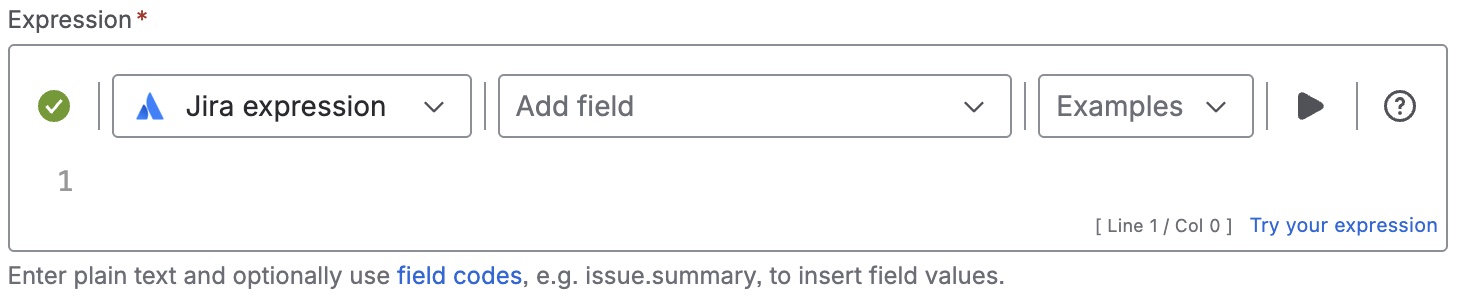
Expression
let minDate = issue?.links.map(link => link.linkedIssue.customfield_nnnnn).filter(
d => d != null);
minDate.length > 0 ? new Date(minDate.reduce((a, b) => a < b ? a : b )).toString()
: ""
Please, replace nnnnn with the ID of a Date Time Picker custom field.
Details
1. What does the expression do?
This expression finds the earliest date from a specific Date Time Picker custom field across all work items that are linked to the current work item. It returns this earliest date as a readable string. If none of the linked work items have a value for this field, it returns an empty string.
2. Step-by-step breakdown
Let’s break it down:
-
issue?.links: Accesses all the links (linked work items) of the current work item. -
.map(link => link.linkedIssue.customfield_nnnnn): For each link, it gets the value of the Date Time Picker custom field (replacennnnnwith your actual field ID) from the linked work item. -
.filter(d => d != null): Removes any entries where the custom field is empty. -
let minDate = ...: Stores the list of all non-empty date values from the linked work items. -
minDate.length > 0 ? ... : "": Checks if there are any dates found. If not, it returns an empty string. -
minDate.reduce((a, b) => a < b ? a : b ): Finds the earliest (minimum) date from the list. -
new Date(...).toString(): Converts the earliest date into a readable string format.
3. Examples
Suppose you have three work items linked to the current one, and their Date Time Picker field values are:
-
Work item A: 2025-11-10T09:00:00Z
-
Work item B: 2025-11-12T15:00:00Z
-
Work item C: (no value)
The expression will:
-
Collect the dates: [2025-11-10T09:00:00Z, 2025-11-12T15:00:00Z]
-
Filter out empty values (Work item C is ignored)
-
Find the earliest date: 2025-11-10T09:00:00Z
-
Return it as a readable string, e.g., "10/Nov/25 9:00 AM"
4. Real-life use cases
-
You want to display the soonest planned start date among all related work items in a project.
-
You need to track the earliest deadline from a group of dependent tasks.
-
You want to show the first scheduled meeting or event from a set of linked work items.