
Advanced Formula Fields includes a Settings page accessible only to Jira administrators via the Advanced Formula Fields menu.
Jira administrators can access this page from the sidebar navigation (see Access the app for instructions).
This page lists and explains all available options.
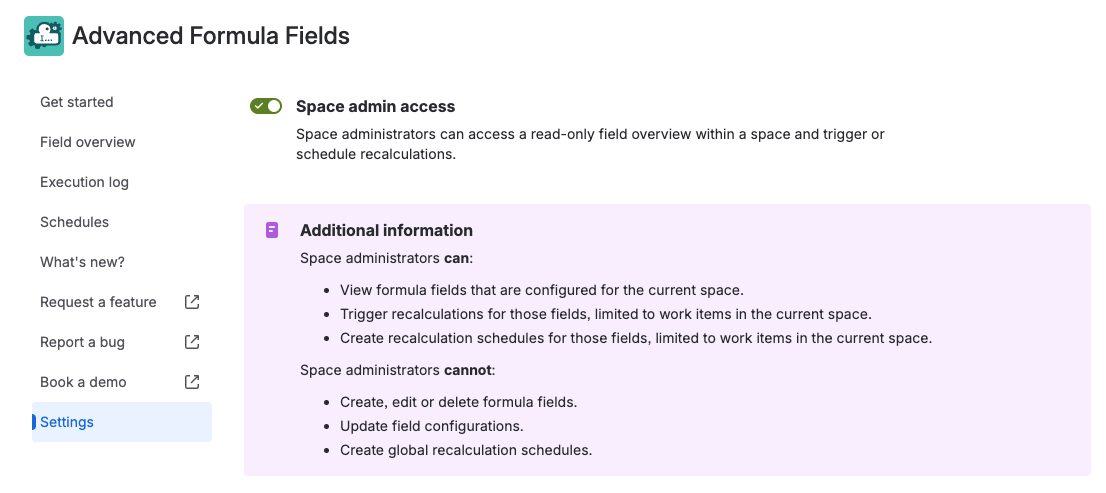
Space admin access
If enabled, space administrators can access a read-only field overview and schedules overview within a space. These views are available only when accessing Advanced Formula Fields from within a space (e.g., from a space tab).
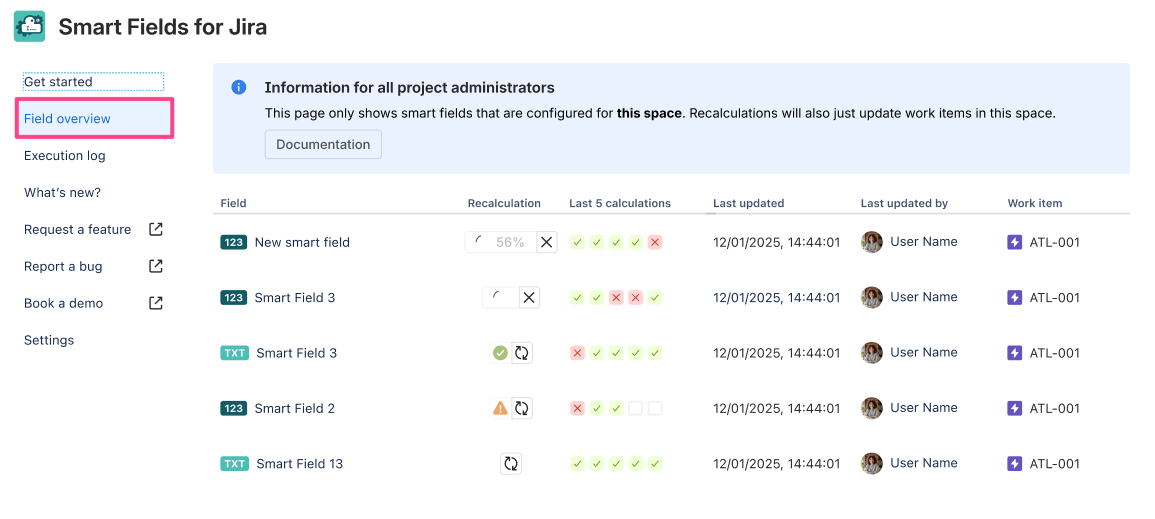
This view is limited compared to the regular field overview for Jira administrators (see Manage existing formula fields / Field overview), but it lists all formula fields and schedules configured for the current space. Space admins can see field names, recent executions, and trigger recalculations and configure space-specific schedules for each field..
Space administrators can:
-
View formula fields that are configured for the current space.
-
Trigger recalculations for those fields, limited to work items in the current space.
-
Configure schedules for those fields, limited to work items in the current space.
-
Browse the template gallery for inspiration.
Space administrators cannot:
-
Create, edit or delete formula fields.
-
Update field configurations.
-
View or create global recalculation schedules.
For these tasks a Jira administrator must be contacted.