
The value of this read-only custom field is calculated automatically using a custom text expression.
You can use it to display text that combines information from one or more fields (using field codes).
It also lets you create any custom text based on values from:
-
fields in the current work item, or
-
fields in other work items (for example: linked issues, sub-tasks, epics, stories, or issues selected via JQL).
Create a custom text formula field
Choose the template
Just like for any other formula field, follow the steps outlined here: Create and configure formula fields and select the Custom text formula field template in the field creation assistant.
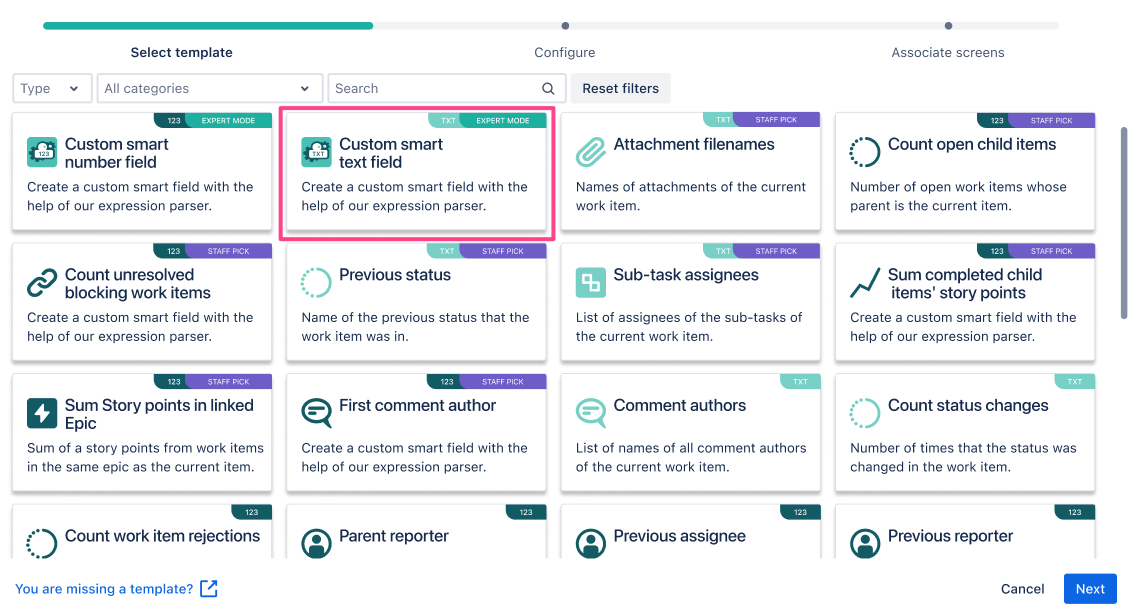
Once selected click on Next.
Provide the expression
Creating an expression from scratch might feel like a challenge, especially if you are not familiar with our expression editor (known from our app Jira Workflow Toolbox). But we have you covered!
Either start by looking at the built-in example expressions or browse through the use cases and examples we have collected for you at the bottom of this page.
Preview the output
Once you have provided the expression you can preview and validate the output by selecting an existing work item.
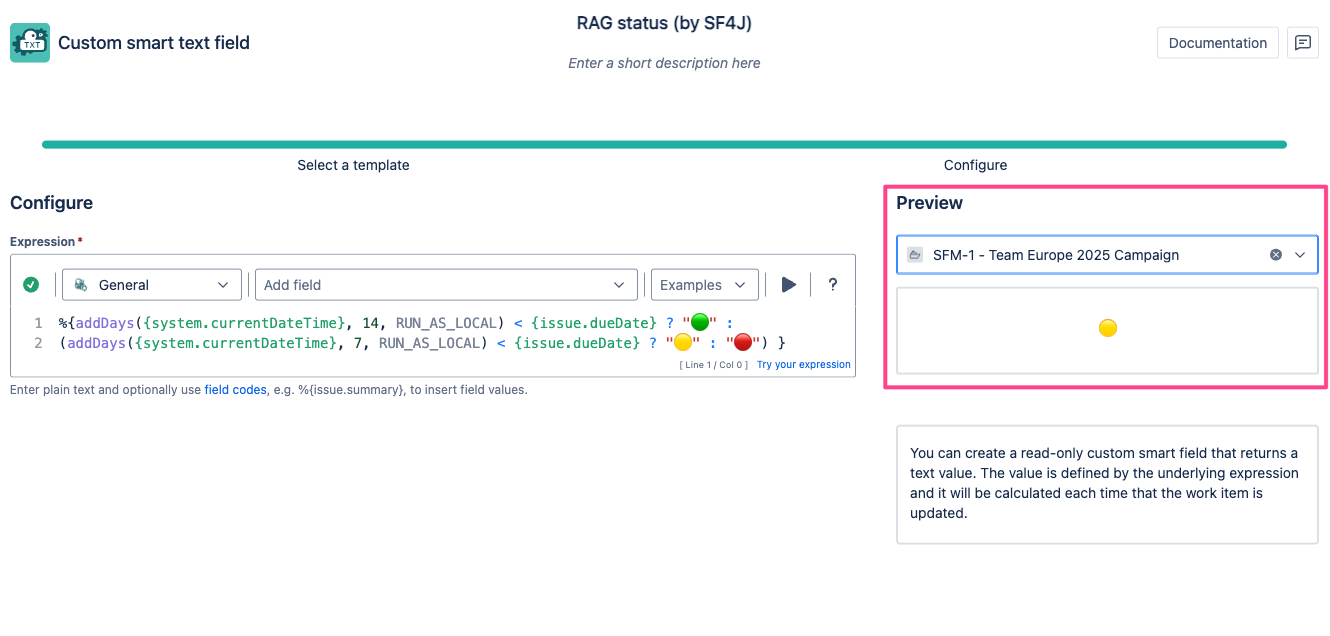
Even if you don’t have the option to individually customize the display format (yet), you can choose to display emojis instead of just plain text just like in the example above RAG - due date traffic light.
📚 Use cases and examples
| Use case | Parsing mode | Expression |
|---|---|---|
| Project category |
General |
|
| Visual progress of sub-tasks |
General |
|
| RAG - due date traffic light |
General |
|
| Sub-task reporters |
General |
|
| Components from all sub-tasks |
General |
|
| Validate URLs for Google Analytics |
General |
|
| Earliest date and time from linked work items |
Jira expression |
|
| Field value validation |
General |
|
| RAG - status traffic light |
General |
|
| Last status change date |
Jira expression |
|
| Project lead |
General |
|
| Earliest date from linked work items |
Jira expression |
|
| Sub-task labels |
General |
|
| Keys of non-estimated sub-tasks |
Jira expression |
|
| Work item ID |
General |
|
| Historical due dates |
Jira expression |
|
| Visual progress of work item |
General |
|
| Sub-task assignees |
General |
|
| First comment |
Jira Expression |
|
| Keys of linked work items in current project |
General |
|
| Previous reporter |
Jira expression |
|