
Post functions can be used to automate tasks and ensure consistent data quality by eliminating or at least minimizing human error.
Jira ships with built-in post functions but those are limited. JWT for Jira Cloud extends that list by offering custom post functions.
All post functions, as opposed to conditions and validators, use the power of the expression parser to to get you the data you need, when you need it.
⚙️ Available post functions
Jump right in and configure any of the available post functions listed below. Each post function comes with built-in examples.
If you need more help on how to construct expressions check out the documentation on the expression parser, and available field codes and operators or check out the use cases and examples below.
ℹ️ Get started in no time!
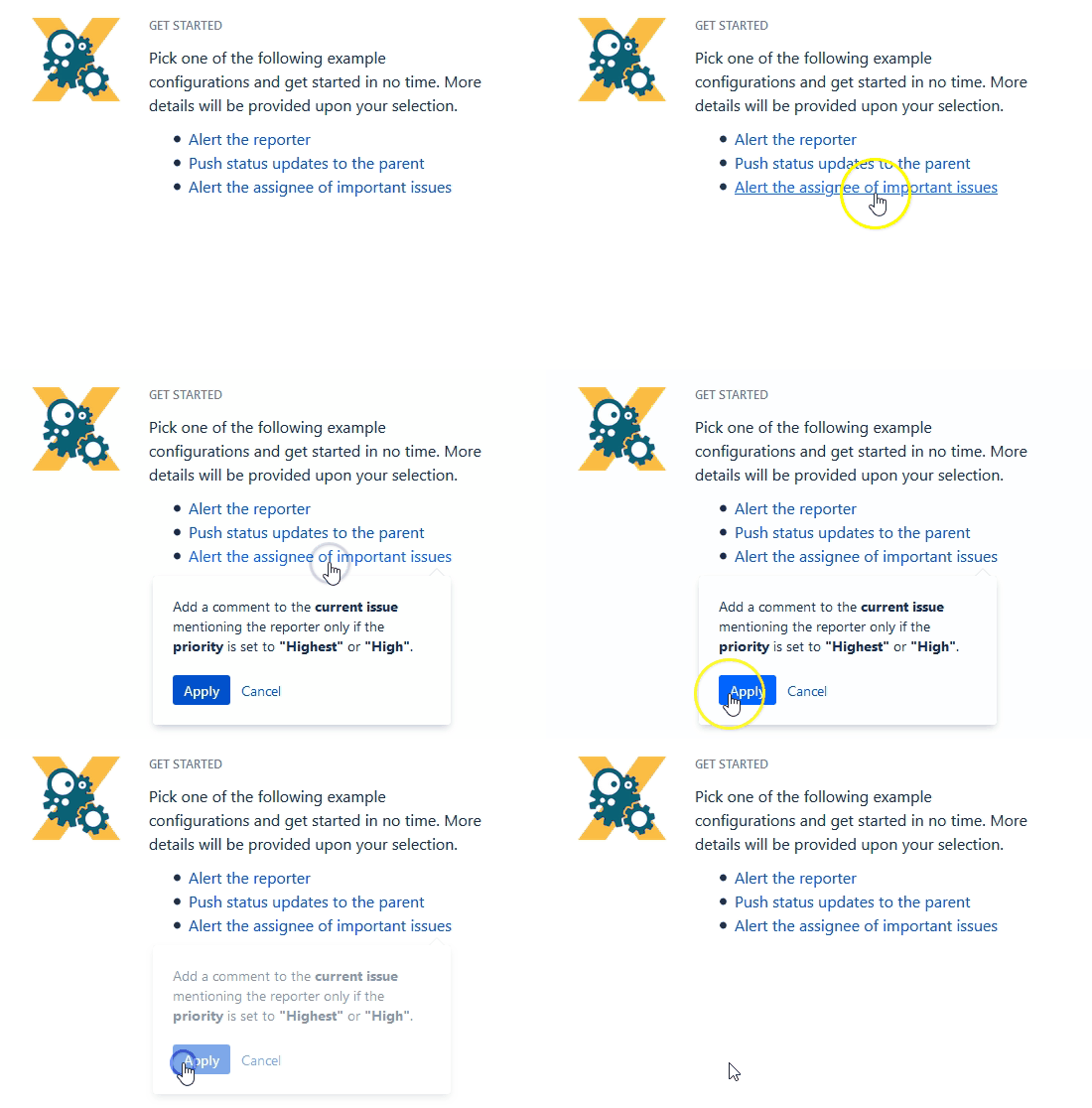
To help you getting started, JWT for Jira Cloud comes with a predefined set of example configurations that you can apply with a single click.
📚 Use cases
| Use case | Workflow function | Parser functions | Use case description |
|---|---|---|---|
| Create a sub-task for each user selected in a User Picker field |
Create automatically a sub-task for each selected user in a User Picker (multiple users) field of the transitioned issue. |
||
| Alert the assignee of important issues |
|
Add a comment to an issue mentioning the assignee. The comment will only be added, if the issue priority is set to "High" or "Highest" to ensure that the assignee will only be alerted for the important issue |
|
| Create two sub-tasks when a user story is being approved |
|
When a story is approved, two sub-tasks for Development and QA will be created. |
|
| Add formatted comments automatically |
|
Add a formatted comment to the current issue. It would be convenient in case that you need to create a table or highlight some important points in the comment. |
|
| Set the due date based on the priority | |||
| Keep developers informed about new software requirements |
Each time a new software requirement was created in a Jira project, the functionality automatically adds all project developers as watchers. As a result, the development team is immediately informed of the new requirements, enabling better coordination and timely implementation. |
||
| Notify the parent issue watchers about new sub-tasks |
Once a sub-task is created, the functionality automatically adds all watchers of the parent issue as watchers to the sub-task. In this way, it becomes possible to ensure that the watchers of the parent issue remain informed of new developments and updates at the sub-task level and maintain a comprehensive overview. |
||
| Create an issue with a summary to check for attachment type |
Creating many issues and adding a summary and a description can be a bit frustrating and time-consuming. To avoid such things, the following use case shows you how to create a sub-task with a summary to check for attachment type in the parent issue. |
||
| Keep parent's priority in sync |
|
Set the priority of the parent issue to the priority of the current issue. |
|
| Set the assignee based on the issue type | |||
| Create a sub-task mentioning the assignee when a high priority task is ready for review |
|
Keep your team on track and up to date by creating a sub-task mentioning the assignee's full name and with issue links linked to the appropriate issue whenever a high priority issue has been moved to the status "Review" |
|
| Start progress on the parent issue |
|
When a sub-task is transitioned to the "In Progress" status the parent issue will be transitioned to the "In Progress" status as well if it is still in the "To Do" status. |
|
| Create a simple sub-task |
|
Create a sub-task, set the summary based on the parent's component, and set the assignee to the current user. |
|
| Add a comment with links to attachments that were just added |
|
A comment will be added to the current issue with links to the attachments included recently. |
|
| Fast-track transition issues assigned to the project lead |
|
Automatically execute the "Start progress" transition if the issue's assignee is the project lead. |
|
| Keep the project lead informed of any new issues |
Anytime a new issue is created in the "Project Management" Jira project, the functionality automatically adds the project lead as an observer. The project lead is thereby kept up to date with all new updates and information within the project, facilitating effective monitoring and management. |
||
| Push status updates to the linked Epic |
|
Add a comment to the linked Epic including the summary and status of the current issue. This is helpful when you don't want to keep track of individual Stories and only receive notifications of the linked Epic (e.g. as a watcher or reporter). |
|
| Start progress on an issue immediately after creation |
|
The transition to start progress on the current issue will be executed directly after its creation. |
|
| Create a sub-task for high priority issues |
|
Create a sub-task only if the priority of the current issue is "High". |
|
| Alert the assignee of an important issue |
|
Send an email to the current assignee only if the priority is set to "Highest" or "High". |
|
| Escalate an issue if it is being raised with a "Blocker" priority |
|
When an issue is raised with a"Blocker" priority, a transition escalating the issue will be executed immediately after its creation. |
|
| Push status updates to the parent |
|
Add a comment to the parent issue including the summary and status of the current issue. This is helpful when you don't want to keep track of individual sub-tasks and only receive notifications of the parent issue (e.g. as a watcher or reporter). |
|
| Create a sub-task linked to issues with a specific priority |
|
Create sub-tasks and link them to the parent or current issue that has a specific priority of your choice. |
|
| Delete watchers from rejected incidents |
After an incident is rejected, the functionality automatically removes all watchers from the issue. This guarantees that no other people remain in the information loop for the rejected issue, streamlining communication and focusing on active incidents. |
||
| Add a comment when rejecting an issue |
|
When an issue is rejected, a comment will be added to the current issue mentioning the reporter. |
|
| Create a sub-task for each component |
Create a sub-task for each selected component in the current issue. |
||
| Automating annual access review for company software in assets |
For the annual access review of applications used in the company and managed as Jira Service Management Assets, we want to create a dedicated task for each application owner to review the people who have access to the application they are responsible for. |
||
| Create a story in an Epic |
|
Link your Epic each time you create a story. |
|
| Transition parent issue to another status |
Transition the parent issue to the "Open" status. |
||
| Notify the support team about internally found bugs / problems |
When an issue is identified as a bug, the functionality automatically adds all members of the support group as watchers. This ensures the support team is promptly informed about the bug, enabling them to communicate effectively with customers regarding any errors that occur on the customer side. |
||
| Create an issue in the current project |
|
Create an issue in the current project and additionally set a summary. This use case comes in handy if you quickly need to create i.e. a new bug which relates to the current issue |
|
| Alert the reporter |
|
Add a simple comment to an issue mentioning the reporter. This use case might come in handy if you don't want to use extra events in your notification schemes to notify specific users - like the reporter. |
|
| Inform the project manager about an added attachment |
Within the Send email post function you have the possibility to send HTML links in the message as well.
|
||
| Selectively copying attachments using filename-based regular expression when created a new issue |
|
Create a sub-task and copy only relevant attachments using filename-based regex (e.g. |
|
| Auto-transition when related issues are in a specific status |
Automatically transition issue, if all linked issues are in specific status. |
||
| Assign important issues to the project lead |
|
Automatically assign and issue to the project lead. Issues will only be re-assigned if the priority of the issue is set to Highest to make sure that only important issues are being escalated. |
|
| Provide information to the onboarding team about new issues created by team members |
Each time a team member creates a new issue, the "Add or remove watchers" functionality automatically adds all colleagues from the onboarding team as watchers. This feature immediately informs the entire onboarding team about new issues, improving team coordination and support. |