Summary
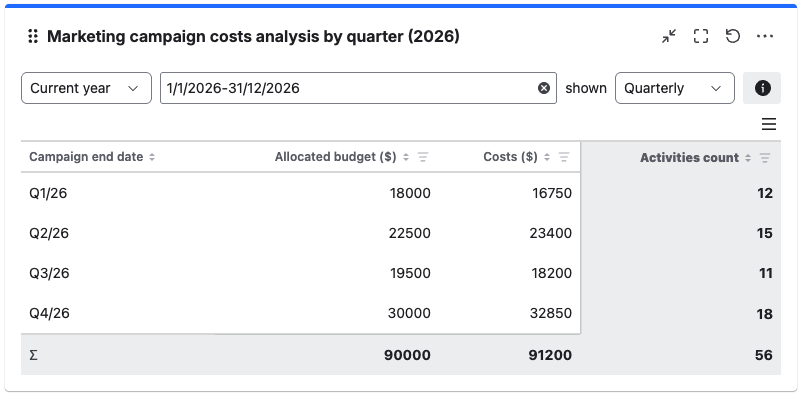
Marketing tracks each campaign as a separate work item, storing its budget, actual costs, and end date in custom fields. Grouping campaigns by end date on a quarterly cycle lets the Grouped Filter Results gadget convert individual campaigns into a clear spending overview, making it easy to compare planned and actual costs across the year.
Configuration
Explanation of this use case
Each marketing campaign is represented by a work item that contains the following key fields. All the fields have been created and populated in advance.
-
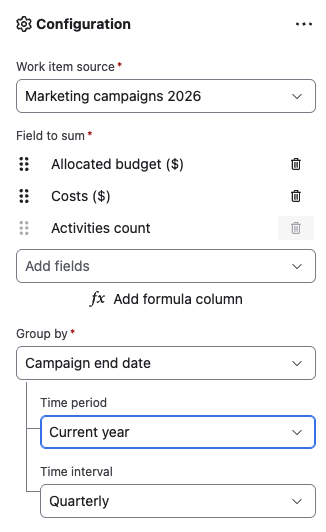
Allocated budget ($): A number field to track the allocated budget for given campaign.
-
Costs ($): A number field to track actual spending per campaign.
-
Activities count: “Work item count” that has been renamed.
-
Campaign end date: A custom date field to track the end date of the marketing campaign.
Please configure the Grouped Filter Results gadget as shown in the screenshot below to realize this use case.