
A parsing mode determines how the JWT for Jira Cloud expression parser interprets an expression. The available parsing modes depend on the context in which you use the expression.
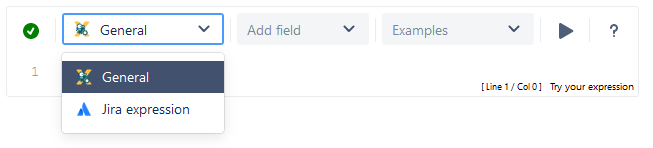
Available parsing modes
| Title | Short description | Supported elements | Output |
|---|---|---|---|
| Jira expression mode |
Language designed by Atlassian to work with Jira entities. |
Multiple |
|
| Logical mode |
Compose logical expressions using field codes and JWT expression parser functions. |
boolean |
|
| General mode |
Compose free text using field codes and JWT expression parser functions. |
text |
Comments
Comments can be added to all parsing modes. They serve as internal documentation for the expression and are ignored when evaluating the expression.
|
Parsing mode |
Syntax |
Examples |
|---|---|---|
|
General |
Only available when using expressions enclosed by %{}. Starts with # and ends either at the end of the line or if the expression is closed by } |
|
|
Logical |
It starts with # and ends at the end of the line |
|
|
Jira expression |
It starts with // and ends with the end of the line |
|