
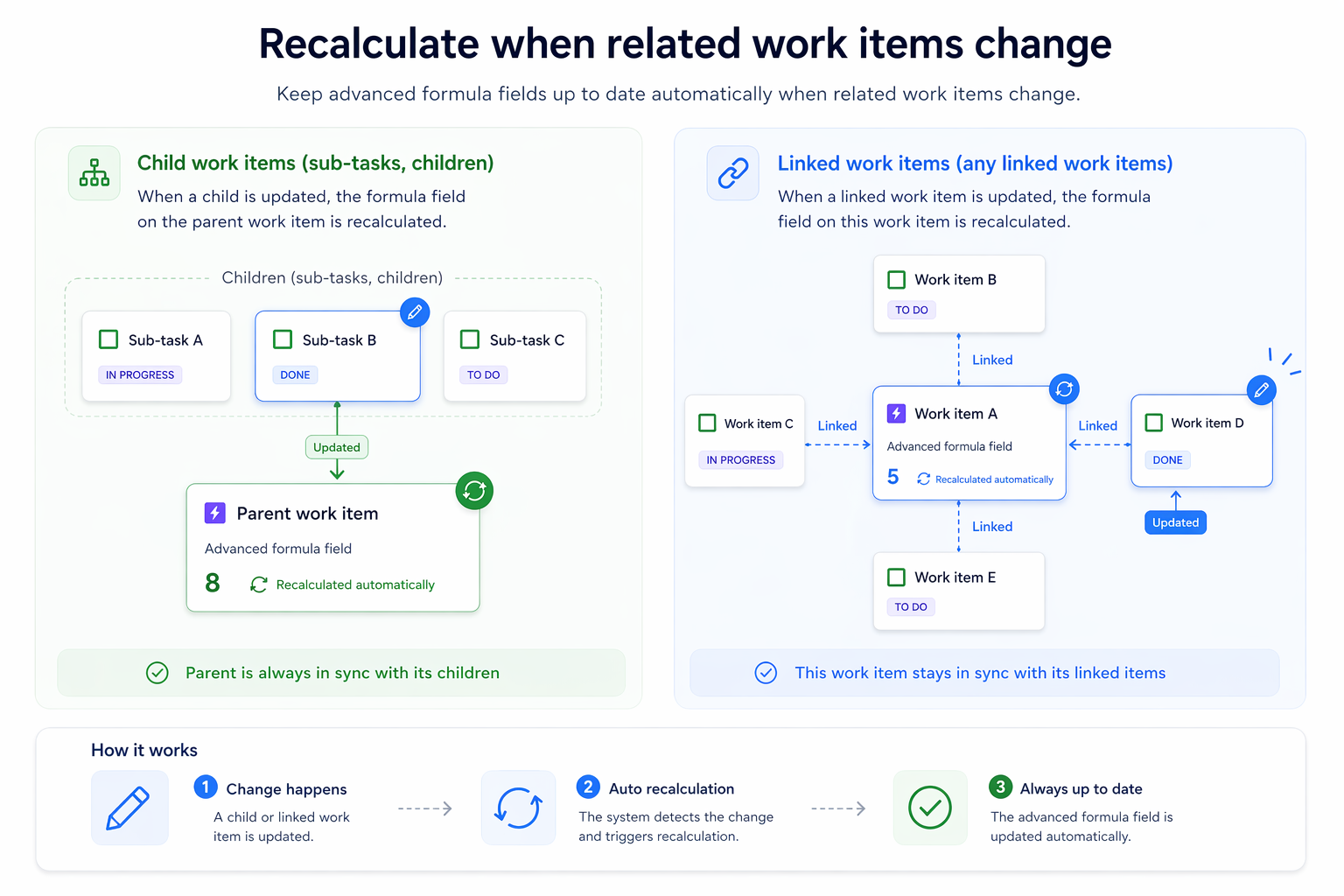
The Recalculate when related work items change feature lets you update an advanced formula field on a parent work item when a child item changes, or on a work item when a linked item changes.
This is useful when you rely on accurate values in work items that are not visited frequently or simply depend on related work items (e.g. Count unresolved blocking work items). Instead of fields updating only when a work item is viewed or modified, they also stay in sync when related work items change.
Enable the automatic recalculation
This feature can be configured in the Configure step during the edition or creation process of any advanced formula field in the Field overview page, although some of the existing templates have it enabled by default and do not require any further configuration.
Follow these steps to edit an advanced formula field to enable this feature:
-
Go to the Field overview page
-
Click the field name of an advanced formula field or create a new one
-
Advance to the Configure step and find “Recalculate when related work items change”
-
Select either “Child work items (sub-tasks, children)” or “Linked work items (any linked work items)”
-
Save the configuration
Related work items
The updated work items depend on the selected option. This section explains each option.
Child work items (sub-tasks, children)
If this option is selected, the formula field of the parent work items will be updated whenever any of its children is updated.
For example, a task’s formula field value will be updated if one of its sub-tasks is updated and an epic’s formula field value will be updated if one of its stories is updated.
Linked work items
If selected, the formula fields in the work items linked to the updated work item will be updated.
For example, if the work items B, C and D are exclusively linked to the work item A, once A is updated, B, C and D will be updated.
Only formula fields in work items directly related to the updated work item will be updated.
This means the epic's field value will not update if the work item updated is a sub-task of its stories. For example, A will update, but C and D will not if work item B is updated.