Summary
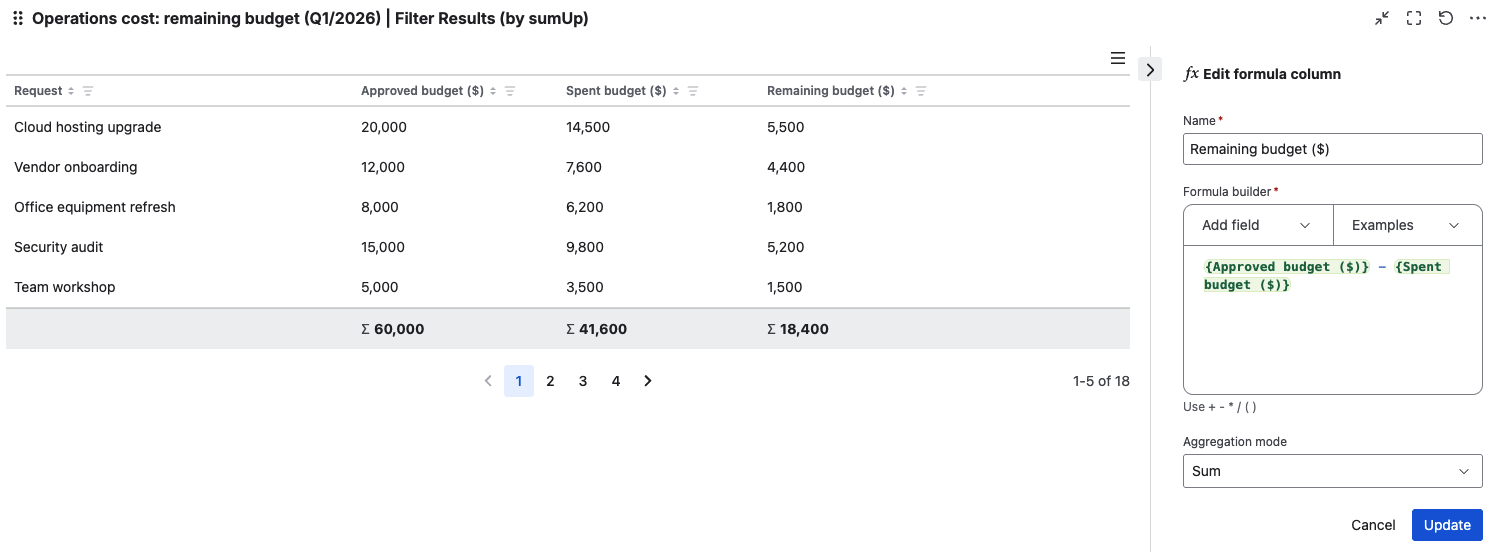
Budget tracking often requires quick visibility into what has already been consumed and what is still available. A calculated “Remaining budget” column helps teams identify requests that are close to exhausting their budget, spot overspending early, and review financial status directly in Jira.
Configuration
Explanation of this use case
Each work item represents an operation request. The team uses the following Jira fields:
-
Approved budget – A number field to track the approved budget for given operation
-
Spent budget – A number field that records the amount spent for given operation
Formula
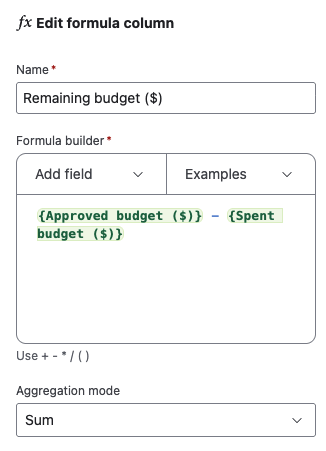
Remaining budget = {Approved budget} - {Spent budget}
Once you are in the Filter results gadget, please click on “Add formula column“ and the make the configuration as follows,