Summary
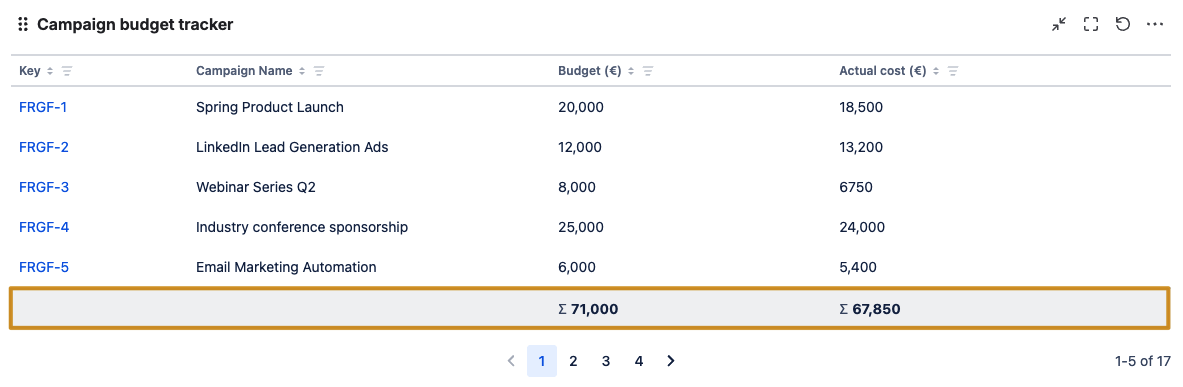
Marketing teams often manage multiple campaigns simultaneously: across digital ads, events, content marketing, and product launches. Keep track of allocated budgets versus actual spend in order to maintain financial control and ensuring ROI.
Configuration
Explanation of this use case
Each marketing campaign is represented by a work item.
-
Campaign Name: Summary field that has been renamed to “Campaign Name“.
-
Budget (€): A number field to track the allocated budget for given campaign.
-
Actual cost (€): A number field to track actual spending per campaign.
Please configure the Filter results gadget as shown in the screenshot below to realize this use case.
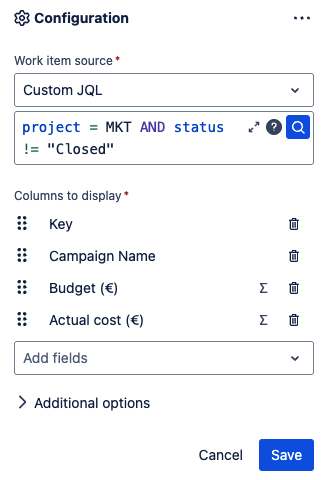
Table view with percentage share
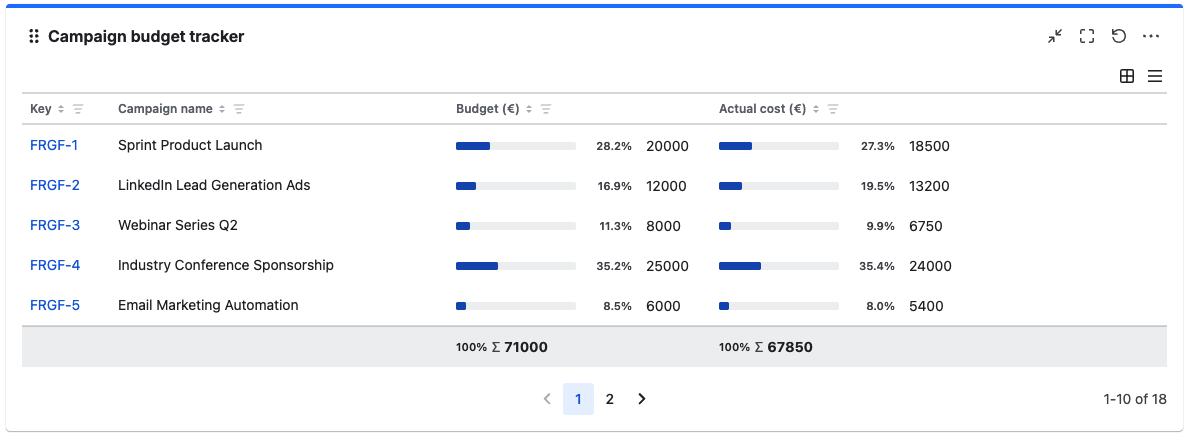
For each aggregatable field added to the gadget, you can enable a percentage share to show a cell's share of its column total. From the field configuration settings, enable percentage share, a progress bar, or both to show the percentage alongside the absolute cell value.
In this example, the user instantly sees which campaign received the most budget and which was most cost-effective.