
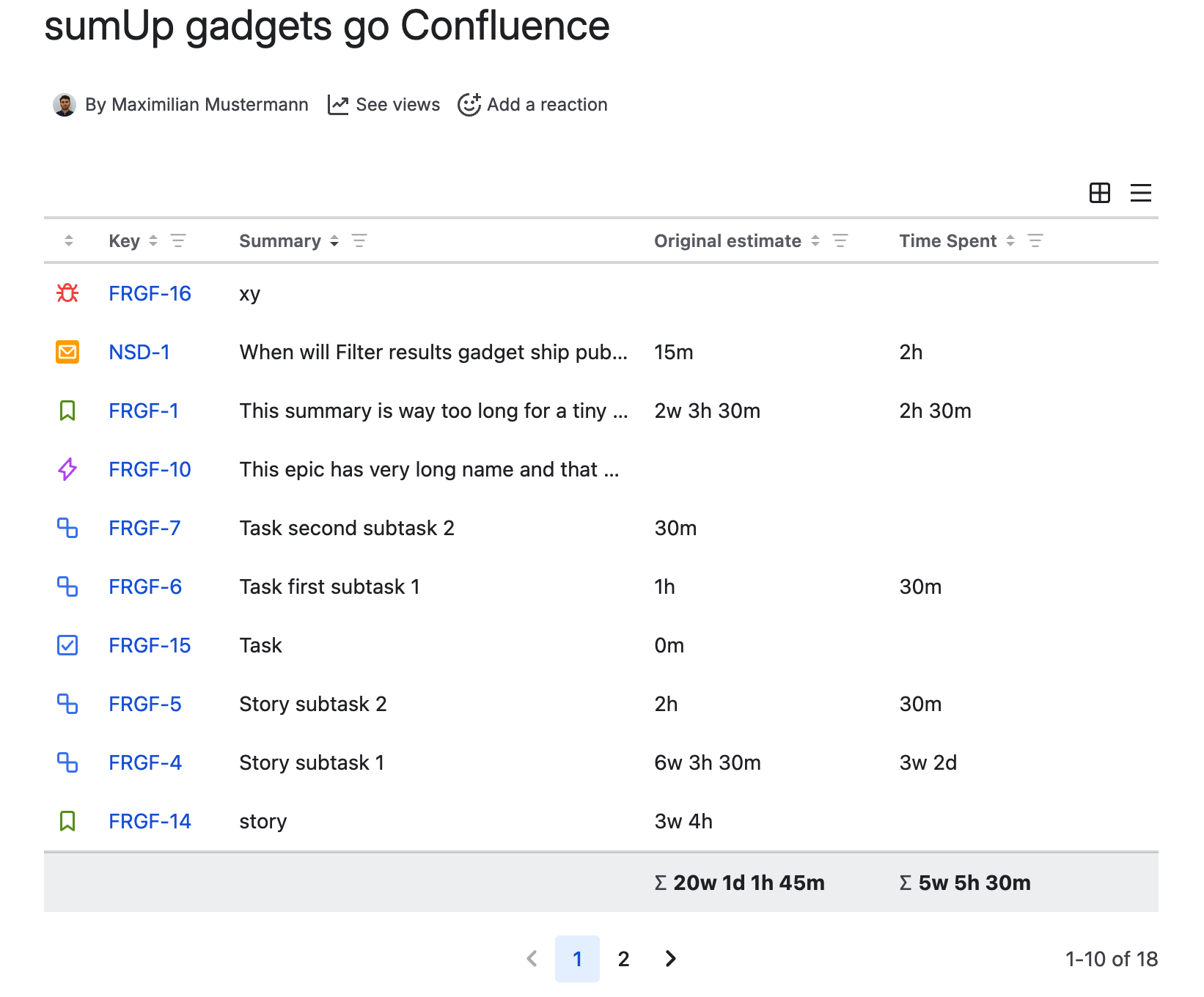
Starting v10.0.0, sumUp for Jira Cloud gadgets are available as Confluence macros. You can now add sumUp gadgets directly to Confluence pages without creating a sumUp’s Jira dashboard gadget first. Each gadget macro runs independently and pulls live data from your connected Jira instance.
Prerequisite
Install or upgrade sumUp
-
Make sure you are on the latest version of sumUp. Install or upgrade sumUp to v10.0.0 in your Jira instance.
-
Approve the require permissions when prompted. This is required and you can read more about it here.
-
Once permissions are accepted, sumUp is ready to use in Confluence.
Establish connection to Confluence
First of all, you need to establish connection between Confluence and Jira. Follow the steps mentioned below.
Expand for the steps
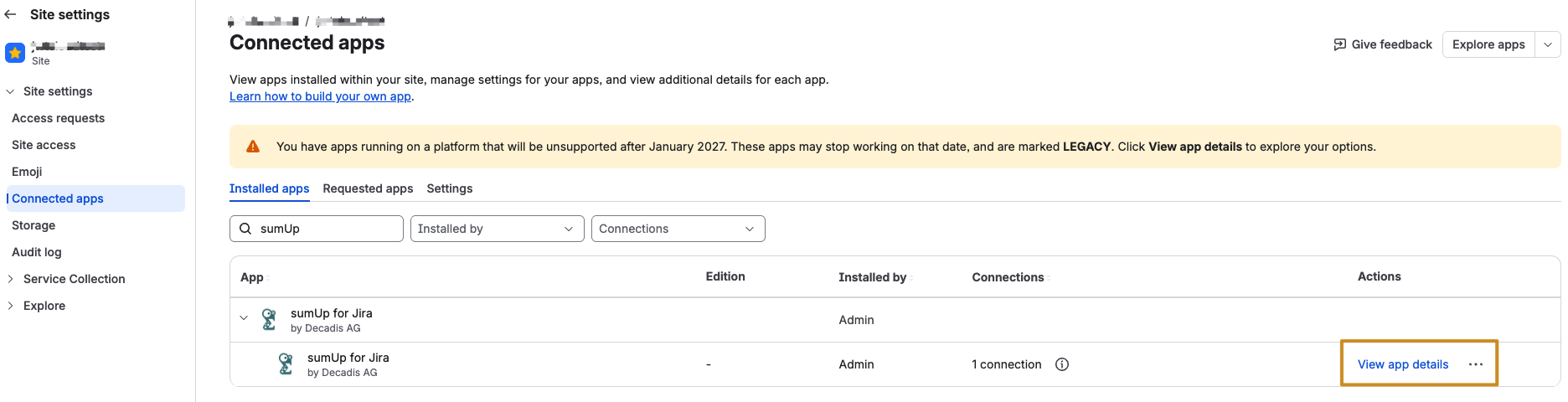
Click on the “Manage spps” from left side bar under Apps → and locate sumUp under the “Connected apps” page → and click on the “View app details” link
The click on the “Connection” tab. You should see the “Confluence” row tied to your Jira product suite. Click on “Connect”. Accept the necessary permission if prompted.
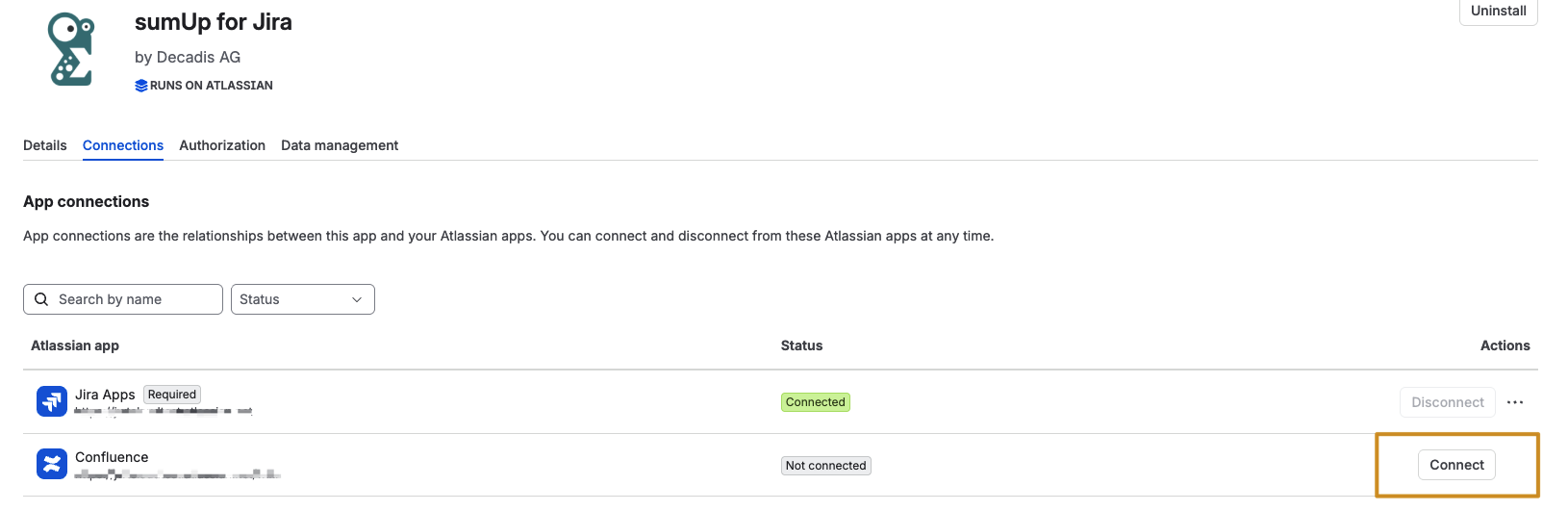
Once the connection is successful, you see “Connected” status

Now, you are ready to use sumUp gadgets in Confluence.
Use sumUp gadgets as confluence macro
Go to the connected confluence site and navigate to any page where you want to add sumUp gadget. Click on the “+” icon from the page header and search for “sumUp”.
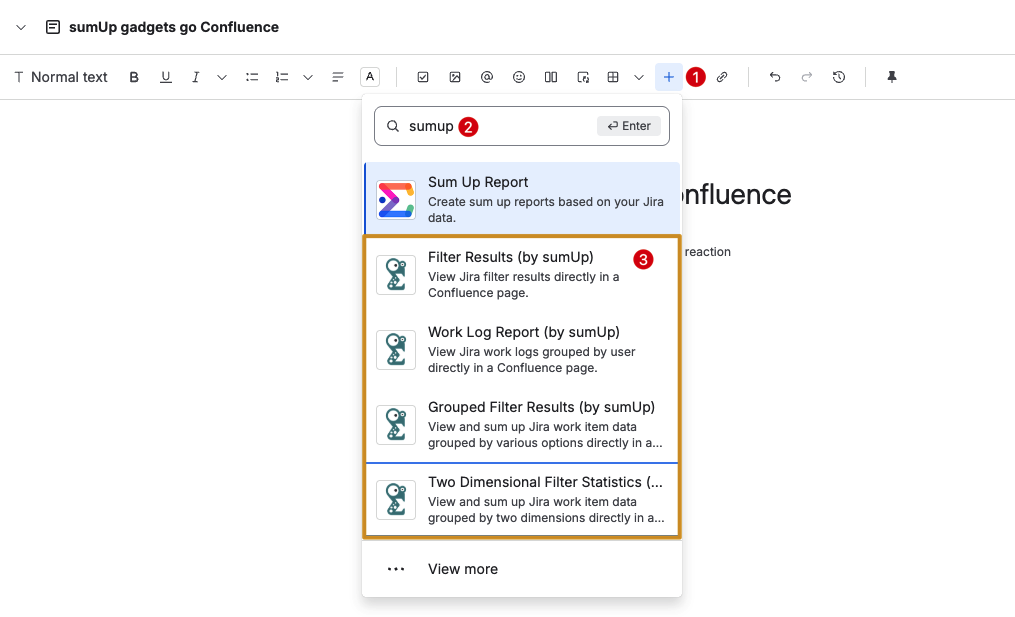
Choose the desired gadget that you want to use e.g. “Filter Results (by sumUp)”. In the next screen, configure the gadget as per your need and click on “Save”
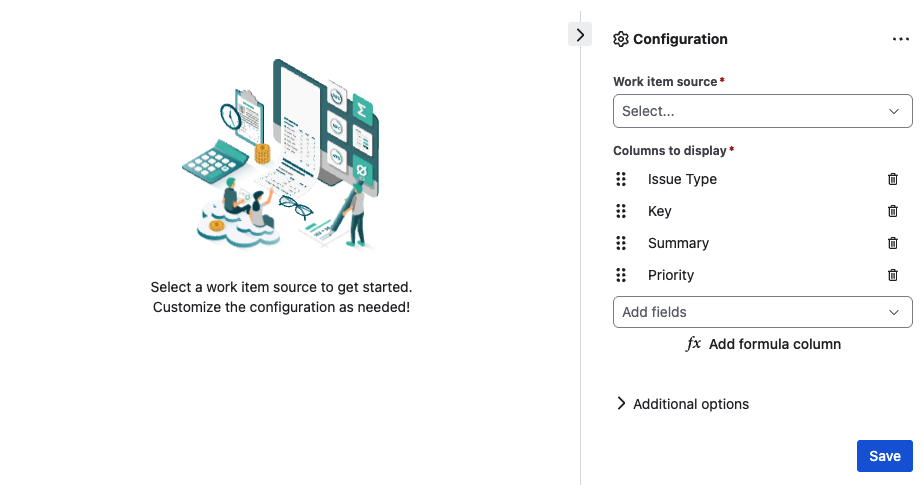
Congratulations, you have successfully added sumUp gadget as a confluence macro.
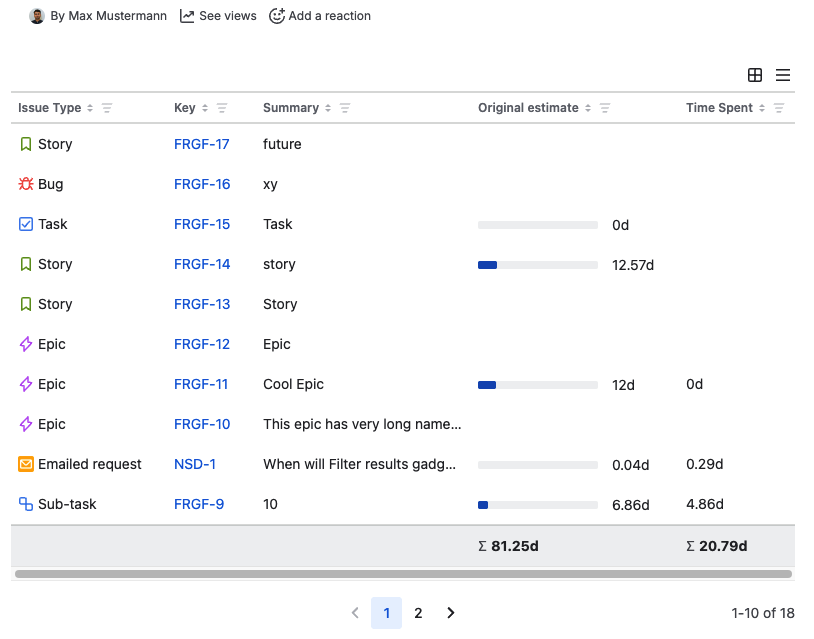
Likewise, you can also add other gadgets using the same process.
Additional Info
-
The functionality of the sumUp gadget macro remains identical to that in Jira.
-
To make an edit to the gadget, make sure the gadget is highlighted, and afterwards click on the Edit icon from the bottom.
-
In general, sumUp gadgets in Confluence might exhibit slow browsing especially when data loading is involved. This is a known behaviour and comes from Confluence.